RU
 ZH
 IT
 ES
 TR
 JA
 PT
 KO
 FR
 DE
 AR
 ID
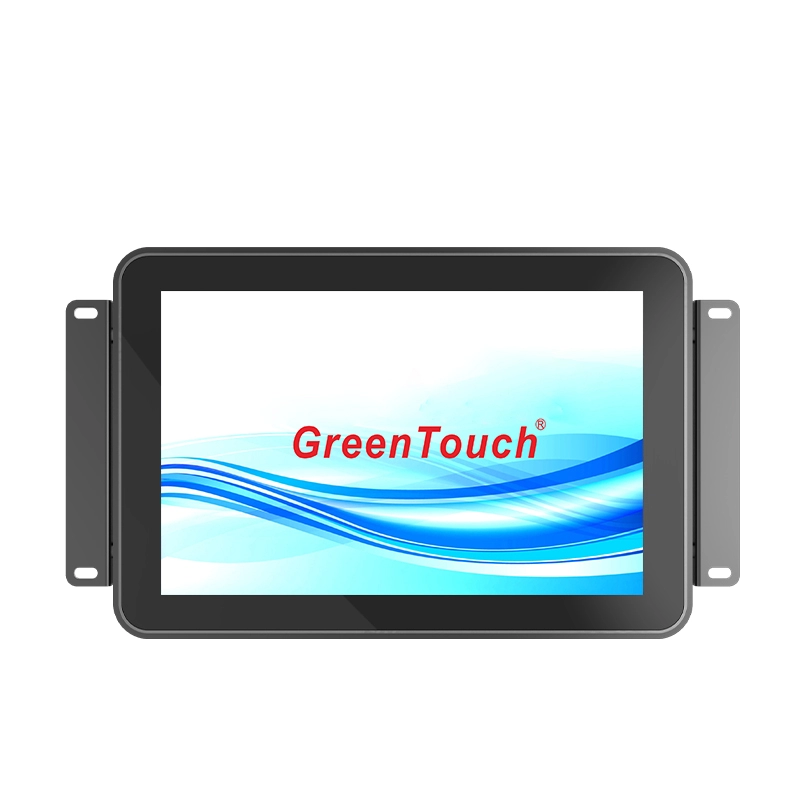
VGA, DVI, HDMI and DisplayPort: Connecting High-Brightness Touch Monitors to Different Systems
Learn More



High-brightness touch panel PCs are often installed in environments where ordinary commercial displays may struggle to maintain clear visibility and stable operation. Outdoor information terminals, industrial control cabinets, transportation equipment, and energy facilities may expose electronic devices to strong ambient light, limited ventilation, dust, and changing temperatures. In these conditions, display brightness is only one part of the design. Heat management is equally important.
A high-brightness LCD, embedded processor, memory, and other electronic components all generate heat during operation. When a panel PC is installed inside a cabinet or a partially enclosed structure, the available space for heat dissipation may be limited. Without an appropriate thermal design, accumulated heat can affect operating stability and increase the demands placed on internal components.
The High Brightness Touch Panel PC 10.1-23.8 Inches (2CGL Series) from GreenTouch addresses this requirement with a built-in cooling structure featuring two low-frequency turbine fans. Combined with an industrial-grade LCD panel and a wide operating temperature range, the series is designed for applications that require both clear display performance and environmental adaptability.
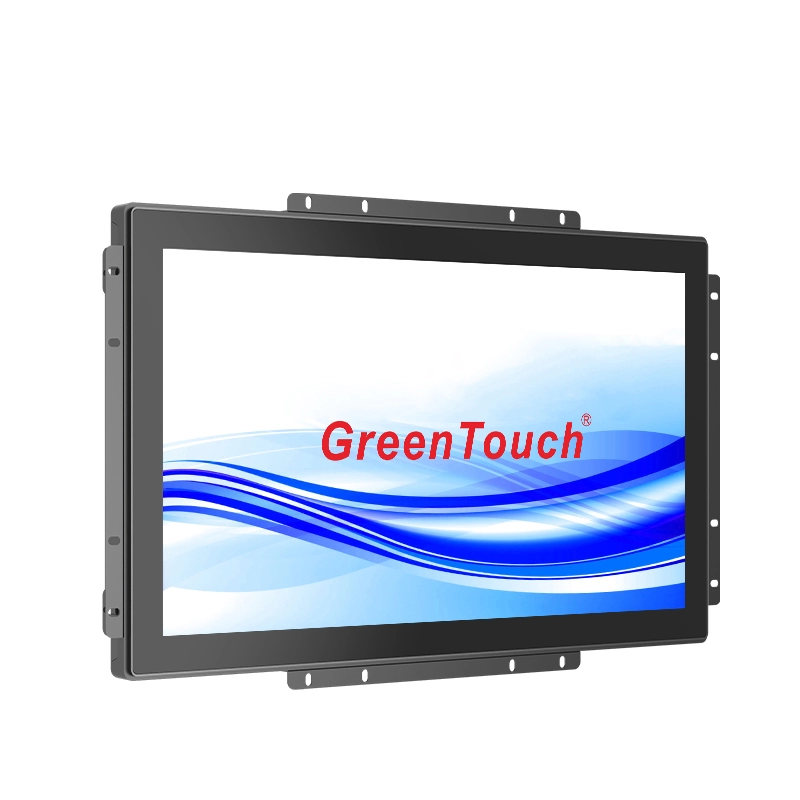
High-brightness displays require more attention to thermal conditions than many standard indoor display applications. The 2CGL series offers brightness configurations ranging from 1000 to 1500 cd/m², with 1000 cd/m² specified as a key feature for visibility under strong ambient light.
The display is only one source of heat. The embedded computing platform also contributes to the overall thermal load. Depending on the selected configuration, the 2CGL series uses a Rockchip RK3566, RK3568, or RK3588 processor, supported by 2–8GB RAM and 32–64GB storage.
These components operate within a relatively compact enclosure. When the panel PC is mounted in an industrial cabinet, placed in a public terminal, or installed in a location with limited airflow, heat may accumulate around the display and computing components.
Thermal management therefore needs to consider the complete device rather than the processor alone. Display operation, computing workload, enclosure design, installation position, and surrounding temperature all influence the internal thermal environment.
One of the notable structural features of the 2CGL series is its built-in pair of low-frequency turbine fans. Their purpose is to improve internal heat dissipation and support the operation of the panel PC under demanding environmental conditions.
A fan-assisted cooling system works by encouraging air movement within or through the equipment's cooling structure. This helps transfer heat away from warmer internal areas and reduces the likelihood of heat remaining concentrated around individual components.
Using two fans provides an active cooling arrangement rather than relying entirely on natural convection. This is particularly relevant when a device has a high-brightness display and an embedded computing platform inside a relatively compact housing.
The actual cooling result still depends on factors such as airflow paths, fan performance, internal layout, and the temperature of the surrounding environment. The presence of two fans should not be interpreted as a guarantee that the equipment can operate at any temperature or under every installation condition. Instead, it is one part of the overall thermal design.
For equipment designers, it is useful to consider how the panel PC will be positioned and whether the installation allows the cooling structure to work as intended. Blocking ventilation areas or placing the unit in an enclosed space without sufficient air circulation may reduce the effectiveness of active cooling.
Brightness is an important selection factor for outdoor and semi-outdoor touch applications. However, choosing a high-brightness display also means paying attention to the operating environment and the way the equipment manages heat.
The 2CGL Series High Brightness Touch Panel PC provides brightness options of 1000–1500 cd/m², depending on configuration. This makes the series suitable for applications where standard display brightness may not provide sufficient visibility under strong ambient light.
In addition to brightness, the series uses an industrial-grade LCD panel and an optically bonded touch panel structure. Optical bonding joins the touch panel and LCD panel more closely, reducing the air gap between the layers. This construction supports display clarity and helps create an integrated touchscreen structure.
These display characteristics need to be considered alongside thermal requirements. For example, a public information terminal installed near a sun-exposed entrance may experience both strong ambient light and elevated surrounding temperatures. A suitable installation should therefore account for display visibility, cabinet ventilation, internal heat generation, and access for maintenance.
Selecting a high-brightness panel PC is not simply a matter of choosing the highest available brightness. The configuration should match the actual lighting conditions and operating environment.
The 2CGL series is specified for a wide temperature range of -30°C to 70°C. This range makes it relevant to applications where equipment may be exposed to significant temperature changes, including outdoor operations, transportation facilities, energy installations, and semi-outdoor public terminals.
However, a specified temperature range should always be evaluated in relation to the complete installation. Ambient temperature, direct sunlight, cabinet ventilation, operating workload, and mounting position can all influence the thermal conditions around the device.
For example, a panel PC installed inside a sealed control cabinet may face different heat dissipation conditions from the same model mounted on an open wall bracket. Even if both installations are located in the same environment, the available airflow and surrounding enclosure can affect internal temperatures.
The built-in dual turbine fans help improve heat dissipation, but system integrators should still leave appropriate space around ventilation areas and avoid obstructing the cooling structure. Where the equipment is installed in a cabinet, the cabinet's own ventilation and heat management should also be considered.
Before deployment, buyers should confirm the operating temperature specifications for the selected configuration and evaluate them against the actual site conditions.
The mounting method can influence how effectively a touch panel PC manages heat. The 2CGL series supports embedded installation, wall mounting, and desktop installation, giving equipment manufacturers flexibility when planning system layouts.
For embedded installation, the panel PC is fitted into a cabinet or equipment opening using the supplied external mounting bracket and screw holes. This arrangement creates a clean front-facing interface, which is useful for industrial HMI systems and control equipment. However, the space behind the panel should be checked carefully. A compact cabinet may restrict airflow or place other heat-generating components close to the panel PC.
For wall mounting, the rear of the display provides 75mm or 100mm VESA mounting options. This arrangement can make it easier to position the unit in an accessible location. Installers should ensure that the mounting bracket and surrounding structure do not interfere with the ventilation areas.
Desktop installation uses compatible VESA mounting holes and corresponding brackets or stands. This option is suitable for workstations and operator interfaces where the screen needs to be positioned at a convenient viewing angle.
Regardless of the mounting method, practical installation checks should include:
Keeping cooling openings clear of cables, cabinet walls, and other equipment.
Allowing sufficient space around the rear housing for air circulation.
Avoiding unnecessary placement near external heat sources.
Considering the heat generated by other devices inside the same cabinet.
Providing access for inspection and fan maintenance where required.
These measures help the cooling system operate under more suitable conditions and make future maintenance easier.
Thermal planning should also take the computing configuration into account. The 2CGL series supports Rockchip RK3566, RK3568, and RK3588 processors, with memory configurations from 2GB to 8GB and storage from 32GB to 64GB.
Different applications may require different levels of computing resources. A basic public information terminal may have different processing demands from an industrial interface that handles multiple data sources or more complex applications. Buyers should select the processor and memory configuration according to the intended software and workload rather than assuming that every project requires the highest configuration.
The series also provides a range of connection options, including HDMI, LAN, USB, TF, RS485, RS232, and DC12V. The interfaces are positioned on the rear of the display and face downward, which can help simplify cable routing in certain cabinet and equipment layouts.
For Android configurations, the listed display ports include HDMI, RS485, and RS232. System integrators should confirm the exact interface combination and configuration before ordering, particularly when connecting the panel PC to PLCs, industrial controllers, sensors, or other external equipment.
The combination of high brightness, active cooling, front-side IP65 protection, and multiple mounting options makes the 2CGL series suitable for a range of industrial and commercial environments.
In outdoor and semi-outdoor public information systems, high brightness supports screen visibility in bright surroundings. In industrial automation, the touchscreen can serve as an operator interface for equipment monitoring and control. Transportation facilities may use panel PCs in information terminals and operational interfaces, while energy and outdoor operation systems may require displays that can accommodate changing environmental conditions.
The series is available in sizes from 10.1 to 23.8 inches, with different aspect ratios across the range. This allows equipment manufacturers to consider both the available installation space and the amount of information that needs to be displayed.
The front protection is rated IP65, helping protect the front side against dust and water exposure when correctly installed. The complete equipment enclosure and cable connections should still be evaluated according to the requirements of the intended application.
Thermal design is only one part of a reliable panel PC solution. Product consistency, assembly quality, and configuration support also matter when equipment manufacturers are planning repeat orders or integrating displays into their own products.
ShenZhen GreenTouch Technology Co., Ltd. is a professional manufacturer of touch products, including touch screens, touch monitors, touch all-in-one PCs, and digital signage solutions. The company operates automated production lines and an enclosed dust-free workshop, with ISO9001 quality management system and ISO14001 environmental management system certifications.
Its manufacturing capabilities include a 5,000-square-meter standard production workshop, a Class 1000 dust-free lamination workshop, and bonding processes such as G+G, G+FF, and TP+LCM full lamination. The company also reports more than 20 technical engineers, over 50 new products annually, and more than 20 patent certificates.
For panel PC projects, these capabilities support product development and manufacturing across different display sizes and configurations. GreenTouch also maintains warehouse facilities in Huizhou and Shenzhen, with a combined area of approximately 2,000 square meters.
When evaluating a high-brightness touch panel PC, buyers should look beyond the brightness rating and processor model. The installation environment, enclosure space, expected workload, ambient temperature, and maintenance requirements all influence the suitability of the product.
The dual low-frequency turbine fans in the High Brightness Touch Panel PC 10.1-23.8 Inches (2CGL Series)provide an active approach to improving heat dissipation. Combined with industrial-grade LCD options, optical bonding, a -30°C to 70°C specified temperature range, and multiple mounting configurations, the series offers a practical platform for outdoor, semi-outdoor, and indoor equipment integration.
For projects requiring a high-brightness interactive interface, GreenTouch can provide different screen sizes and hardware configurations for evaluation. Confirming the selected processor, memory, brightness, mounting method, and operating conditions before deployment will help ensure that the panel PC is matched to the actual requirements of the application.