RU
 ZH
 IT
 ES
 TR
 JA
 PT
 KO
 FR
 DE
 AR
 ID
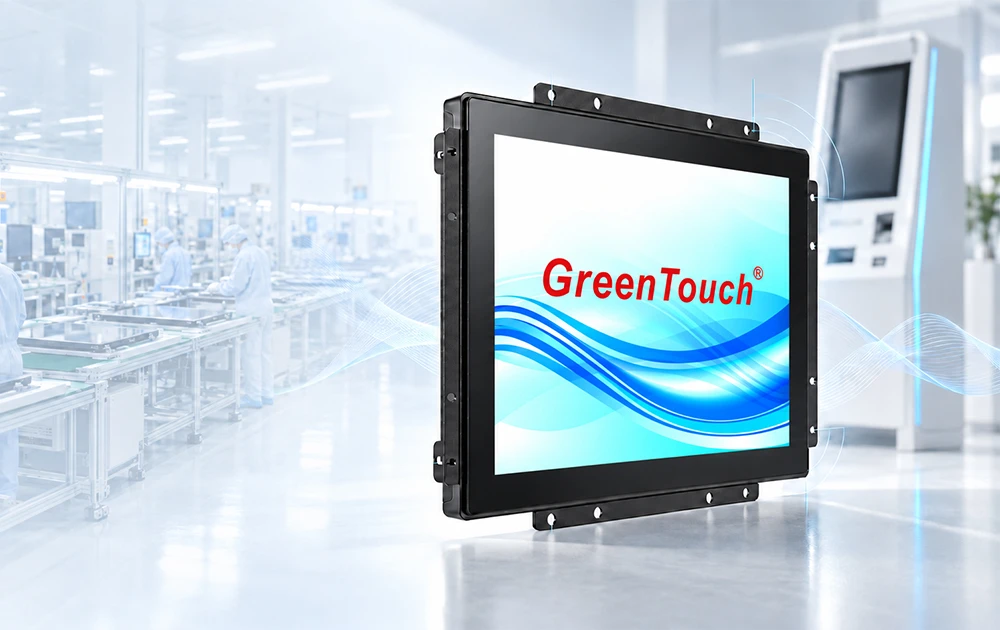
GreenTouch as an Open Frame Touch Screen Monitor Manufacturer: Kiosk Integration, Mounting, and EMC Compliance
Learn More



When integrating a large-format touch monitor into a commercial or industrial environment, choosing the right display is only one part of the project. Another important decision is how the system will process information, run applications, and communicate with external devices. Should the monitor operate with an external computer connected through HDMI or DisplayPort, or should it use an integrated OPS computer to create a more self-contained interactive system?
The answer depends on the intended application, installation environment, maintenance requirements, and existing IT infrastructure. A meeting room display, an interactive information terminal, and an industrial control interface may all require different system configurations, even when they use the same screen size.
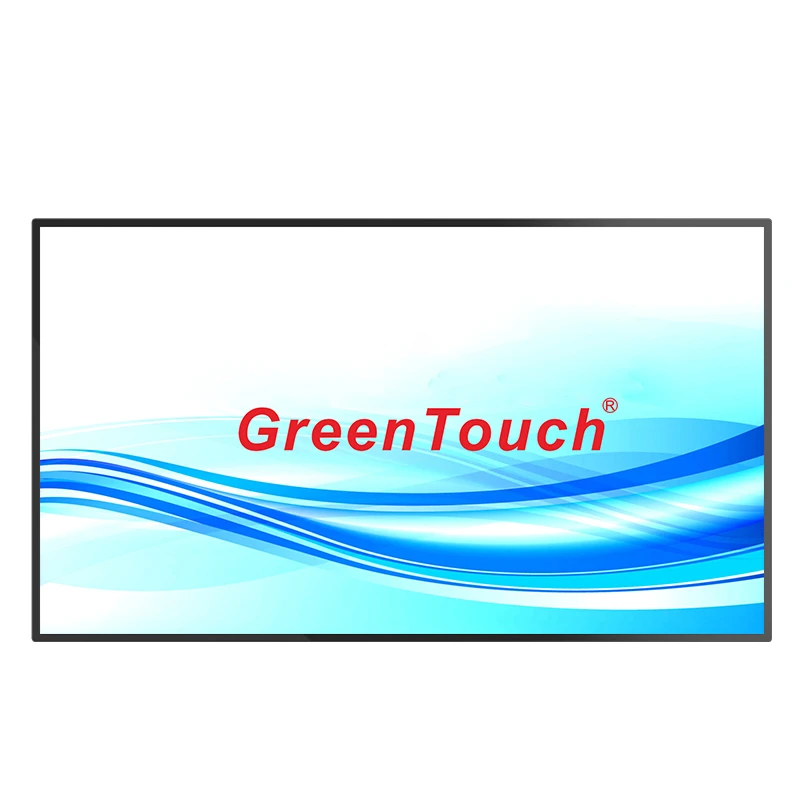
The 55 Inch 4K UHD Touch Screen Monitor from GreenTouch provides flexibility in this area. With 4K UHD resolution, 10-point projected capacitive touch, multiple video interfaces, and an optional OPS configuration, it can support different system architectures without limiting users to a single computing arrangement.
Before selecting a configuration, it is useful to understand how these two approaches differ.
An external computer is an independent computing device connected to the monitor through a video interface such as HDMI or DisplayPort. The computer handles the operating system, applications, data processing, and network communication, while the touch monitor provides visual output and receives user input.
This configuration is common in environments where computing hardware is already available or needs to remain separate from the display. For example, a company may connect its existing desktop computer or industrial PC to a large touch monitor without changing its current IT architecture.
An OPS module, on the other hand, is designed to fit into a compatible OPS slot within a display system. It integrates the computing hardware into the display installation, reducing the need for a separate computer enclosure and external video connections.
For interactive applications, this can create a more integrated installation. Users can operate software directly on the display without relying on a separately positioned desktop computer.
The two configurations serve different purposes:
| Comparison | External Computer | OPS Module |
|---|---|---|
| Hardware arrangement | Separate computing device | Integrated computing module |
| Video connection | HDMI or DisplayPort | Compatible internal OPS interface |
| Installation | Requires external computer placement | More integrated installation |
| Maintenance | Computer can be serviced separately | OPS module can be accessed as a separate computing unit |
| Hardware flexibility | Broad choice of compatible computers | Depends on supported OPS specifications |
| Typical applications | Industrial workstations, existing IT systems, customized installations | Interactive displays, meeting rooms, information terminals |
Neither approach is universally better. The appropriate choice depends on the equipment already available, the required computing performance, and how the complete system will be installed and maintained.
A large-format touch display needs to do more than show images. In many professional applications, it must provide accurate touch input, stable video transmission, and convenient integration with other devices.
The GreenTouch 55 Inch 4K UHD Touch Screen Monitor combines a 3840 × 2160 UHD display with projected capacitive 10-point touch technology. This allows multiple touch points to be detected simultaneously, making it suitable for interactive applications where users need to select, move, zoom, or manipulate on-screen content.
Its interface configuration includes:
HDMI 2.0 × 1
HDMI 1.4 × 1
DisplayPort 1.2 × 1
USB
Audio
These interfaces are positioned on the rear of the monitor and face right, providing access for cable connections during installation.
For an external computer configuration, HDMI 2.0, HDMI 1.4, or DisplayPort 1.2 can be used according to the computer's output capabilities and the required video specifications. USB provides the connection needed for touch communication with a compatible host computer.
When the monitor is configured with an OPS module, the computing hardware can be integrated into the display system, provided the selected model supports the corresponding OPS configuration.
This flexibility is useful for system integrators who need to plan different installation arrangements around one display platform.
An external computer is often a practical option when the project already has an established computing environment.
For example, an industrial facility may use dedicated PCs to run production management software, monitoring applications, or equipment control interfaces. Replacing the existing computer architecture with integrated hardware may create unnecessary compatibility and maintenance work.
In this situation, connecting the touch monitor to the existing computer allows the display to become an interactive interface while the original computing environment remains unchanged.
There are several situations where this configuration makes sense.
Existing IT Infrastructure
Organizations that already use desktop computers, mini PCs, or industrial PCs can continue using their existing hardware. This helps maintain established software environments, network configurations, and peripheral connections.
Specialized Computing Requirements
Some applications require specific processors, graphics capabilities, operating systems, expansion interfaces, or dedicated hardware. An external computer provides greater freedom to select computing equipment according to these requirements.
Independent Maintenance
Separating the computer from the monitor allows technicians to access or replace the computing device without removing the display from its installation position. This can be useful in industrial environments where maintenance procedures need to be organized around existing equipment.
Flexible Equipment Placement
The computer can be positioned inside a cabinet, workstation, or equipment rack, depending on the installation design. This arrangement is particularly useful when the display is mounted in a location where placing a complete computer would be inconvenient.
However, external configurations require additional attention to cable routing, USB touch connectivity, power arrangements, and physical space. These details should be considered before finalizing the installation.
An OPS configuration is worth considering when the goal is to simplify the overall installation and integrate computing hardware into the display.
In meeting rooms, interactive information terminals, and digital collaboration environments, a separate computer may introduce additional cables, mounting requirements, and visible hardware. An OPS module can help reduce these installation complications.
For example, a business may install a large touch display in a conference room for presentations, document annotation, and interactive collaboration. With a compatible OPS computer, the display can operate as a more integrated system without requiring a separate desktop computer next to the screen.
The main advantages include:
More Integrated Installation
The computing module is housed within the compatible display architecture. This can reduce the need for an external computer enclosure and simplify the physical arrangement.
Cleaner Cable Management
With fewer external video connections between the computer and display, installation can look more organized. Other required connections, such as power, networking, and peripherals, still need to be planned.
Centralized Display and Computing Arrangement
The display and computing hardware become part of one installation. This is convenient for environments where the equipment is expected to operate as a dedicated interactive terminal.
Simplified Deployment for Repeated Installations
For projects involving multiple interactive displays, an OPS-based configuration can provide a consistent hardware arrangement, provided the same compatible module specifications are selected.
When choosing this option, buyers should confirm the OPS slot compatibility, processor, memory, storage, operating system, and other hardware requirements. An OPS option should not be assumed to include identical computing specifications across all configurations.
Computing architecture determines how applications run, but display performance determines how users experience those applications.
At 55 inches, 4K UHD resolution provides 3840 × 2160 pixels, offering four times the total pixel count of a Full HD 1920 × 1080 display. This additional pixel density is useful when the screen needs to present detailed information across a large viewing area.
For applications involving technical drawings, data dashboards, maps, product presentations, and detailed images, higher resolution allows more visual information to be displayed with greater clarity.
The GreenTouch monitor also supports 1.07 billion display colors, with a 90% NTSC color gamut. Its listed color performance includes 99% sRGB and 95% DCI-P3, making it suitable for applications where color reproduction is an important consideration.
HDR support further helps present images with more distinct visual layers, depending on the source content and signal configuration.
The 178-degree ultra-wide viewing angle is another practical feature. In conference rooms, exhibition spaces, and public information environments, users may view the screen from different positions rather than directly in front of it.
For a touch application, these display characteristics should be considered together with the software interface. Small interface elements, dense information layouts, and interactive controls need to be designed appropriately for a 55-inch 4K screen.
A large touch display is only effective when its touch response is suitable for the intended interaction.
The 55 Inch 4K Touch Screen Monitor uses projected capacitive 10-point touch technology, supporting simultaneous interaction across multiple touch points. This is useful for collaborative applications, interactive presentations, and interfaces that involve gestures such as zooming and rotating.
Its touch panel is optically bonded to the LCD panel. Full optical bonding helps reduce the gap between the touch surface and display, supporting a more direct visual and touch experience.
The monitor uses a TFT LCD with LED backlighting and a thin-bezel design. These features help create a streamlined appearance for wall-mounted installations, workstations, and commercial display environments.
Surface treatment is another consideration. GreenTouch offers AG (anti-glare) as well as optional AR, AF, and antibacterial treatments.
These options address different installation requirements:
AG treatment helps reduce distracting reflections under ambient lighting.
AR treatment can reduce reflected light from the display surface.
AF treatment helps reduce fingerprint residue and makes surface cleaning easier.
Antibacterial treatment can be considered for environments where surface hygiene is an additional requirement.
The appropriate treatment depends on lighting conditions, frequency of touch interaction, and cleaning procedures. Buyers should confirm the available surface treatment for their selected configuration before ordering.
The right system configuration becomes clearer when the actual application is considered.
Corporate Meeting Rooms
For presentations, interactive collaboration, and document annotation, an OPS configuration can help create a compact installation. If the company already uses dedicated meeting room computers, an external computer may be more appropriate.
Industrial Monitoring and Control
Industrial applications often rely on specialized software and existing hardware platforms. An external industrial PC may be preferable when specific computing or interface requirements need to be maintained.
Digital Information Terminals
Public information systems may benefit from an integrated computing arrangement, particularly when the display is intended to operate as a standalone interactive terminal.
Education and Training
In interactive training environments, 10-point touch supports collaborative operation and direct interaction with learning materials. OPS can simplify deployment, while external computers may be useful when schools need to maintain specific software and IT configurations.
Commercial Demonstration and Exhibition Spaces
For product demonstrations and interactive presentations, 4K resolution helps display detailed visual content, while the touch interface allows visitors to explore information directly. The choice between OPS and external computing depends on whether the installation is temporary, permanent, or connected to an existing presentation system.
For commercial and industrial displays, system reliability should be evaluated beyond the initial installation.
GreenTouch specifies a display service life of up to 50,000 hours under normal operating conditions and supports 7 × 24-hour operation. The product information also lists a 1–3-year guarantee depending on the applicable configuration, while the general product specification lists a one-year warranty. Buyers should confirm the warranty coverage for their specific order.
The monitor also supports automatic power-on or power-off behavior based on the presence of current or a video signal, depending on the selected configuration. This can be useful for installations where displays need to respond to the operating status of connected equipment.
From a maintenance perspective, the computing architecture should match the service capabilities of the installation team. External computers may be easier to replace independently, while OPS modules can reduce the number of separate devices in an integrated display installation.
Before deployment, system integrators should verify the video output resolution, refresh rate, USB touch compatibility, power requirements, OPS hardware specifications, and operating system support. Testing the complete system with the intended applications is also recommended before large-scale installation.
Selecting the right display is only one part of a successful project. Consistent manufacturing, touch technology development, and customization capabilities also matter when sourcing professional monitors for commercial applications.
ShenZhen GreenTouch Technology Co., Ltd. is a professional manufacturer of touch products, including capacitive touch screens, resistive touch screens, infrared touch frames, nano touch foil, touch screen monitors, touch all-in-one PCs, and digital signage solutions.
The company operates automated production lines and a fully enclosed dust-free workshop. Its quality management systems are certified to ISO 9001 and ISO 14001, and it has received national high-tech enterprise and Shenzhen high-tech enterprise recognition.
GreenTouch's technical resources include more than 20 technical engineers, over 50 new products developed annually, and an investment of approximately US$2 million in new product development. Its intellectual property portfolio includes more than 20 patent certificates, over 30 computer software copyrights, and more than 60 other certificates.
For touch display manufacturing, the company has a Class 1000 dust-free lamination workshop and supports G+G, G+FF bonding, and TP+LCM full lamination technologies. Its standard production workshop covers approximately 5,000 square meters, with a daily production capacity of more than 600 touch panels.
The company's Huizhou and Shenzhen warehouses cover approximately 2,000 square meters, with storage capacity for up to 20,000 standard products.
GreenTouch products are manufactured under established quality control procedures and have obtained certifications including CE, FCC, CB, RoHS, UL, CCC, and HDMI-related certification for applicable products.
These capabilities support the company's work across touch display manufacturing and integrated touch solutions for different commercial and industrial requirements.
Choosing between an OPS module and an external computer is ultimately a system architecture decision rather than simply a display specification.
An external computer is often the better fit when a project requires specialized computing hardware, existing IT integration, or independent computer maintenance. An OPS module is worth considering when installation simplicity, integrated hardware, and a cleaner equipment arrangement are priorities.
The 55 Inch 4K UHD Touch Screen Monitor from GreenTouch combines 3840 × 2160 resolution, 10-point capacitive touch, multiple video interfaces, wide viewing angles, and optional OPS configuration to support different deployment requirements.
With its touch manufacturing experience, optical bonding capabilities, and product development resources, GreenTouch provides display options for system integrators, commercial equipment manufacturers, and industrial application developers.
Before placing an order, confirm the intended software, computing requirements, connection interfaces, surface treatment, and operating schedule. A clear understanding of these details will help ensure that the selected touch monitor works effectively as part of the complete system.