RU
 ZH
 IT
 ES
 TR
 JA
 PT
 KO
 FR
 DE
 AR
 ID
AI-Powered Intelligent Self-Service Kiosk Solutions: Enabling the Future of Smart Interaction
Learn More



When integrating a touch monitor into industrial equipment, a public information terminal, or a commercial interactive system, choosing the right display interface is an important part of the installation process. The video connection determines how image signals travel from the computer or control system to the monitor, while the available ports influence compatibility with existing equipment and future upgrades.
Industrial projects do not always use the newest computers or video sources. Some systems still rely on VGA or DVI, while newer industrial computers and media players commonly provide HDMI or DisplayPort. Selecting a monitor that supports the required connections can reduce the need for additional adapters and simplify system integration.
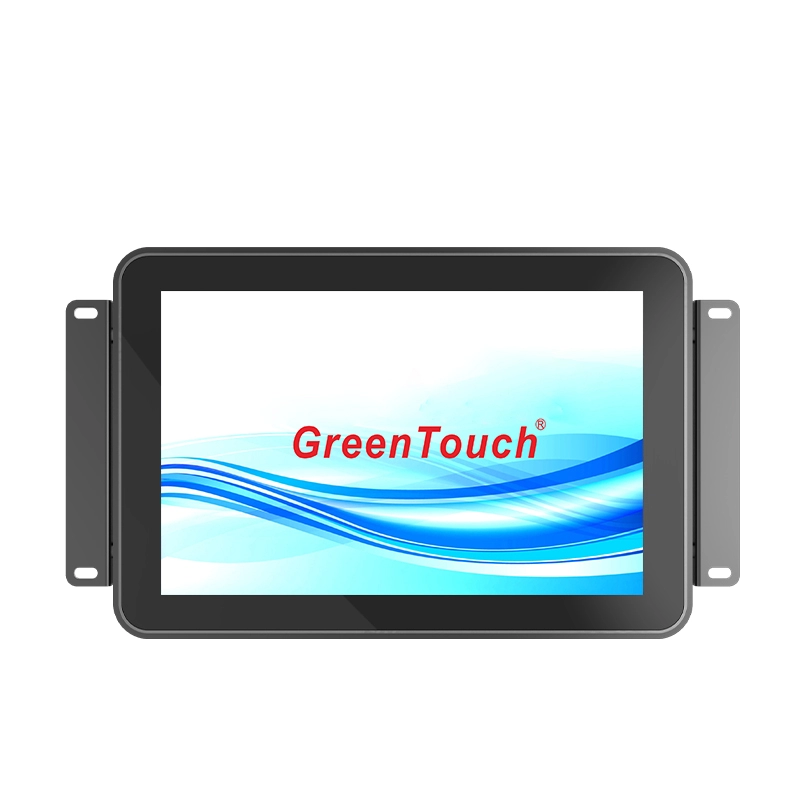
The High Brightness Touch Monitor 10.1-23.8 Inches (2CGL Series) from GreenTouch provides VGA, DVI, HDMI, and DisplayPort connectivity options, making it suitable for different display environments. With brightness configurations ranging from 1000 to 1500 cd/m², projected capacitive 10-point touch, and multiple mounting options, the series is designed for indoor, semi-outdoor, and outdoor applications that require clear visibility and interactive operation.
VGA, DVI, HDMI, and DisplayPort all connect a video source to a display, but they use different signal technologies and have different compatibility characteristics. Understanding these differences helps system integrators select the appropriate connection for their equipment.
VGA is an analog video interface that has been used in computers, industrial controllers, and older display systems for many years. It remains relevant when upgrading equipment that already uses VGA output. However, because VGA transmits analog signals, image quality can be affected by cable length, cable quality, and electrical interference. It also does not carry digital audio.
DVI was developed to provide a digital video connection and is commonly found on older desktop computers and industrial systems. Depending on the connector and implementation, DVI can support digital-only or combined analog and digital signals. DVI is useful when connecting compatible legacy equipment, although audio transmission is generally not part of a standard DVI connection.
HDMI is widely used in modern computers, media players, industrial PCs, and multimedia equipment. It carries digital video and audio through one cable, which can simplify connections when the source device and monitor both support the required HDMI version and features.
DisplayPort is another digital interface commonly used on desktop computers, workstations, and professional computing equipment. It supports high-resolution video and is suitable for systems that require a modern digital display connection. Its actual performance depends on the DisplayPort version, source hardware, cable, and monitor specifications.
The most suitable interface is not necessarily the newest one. It is the connection that matches the available video output, required image resolution, installation distance, and system requirements.
The following comparison provides a practical starting point for equipment selection.
| Interface | Signal type | Audio transmission | Typical application |
|---|---|---|---|
| VGA | Analog video | No | Legacy computers and industrial equipment |
| DVI | Digital or analog/digital, depending on type | Generally no | Older PCs and control systems |
| HDMI | Digital video and audio | Yes | Industrial PCs, media players, and multimedia devices |
| DisplayPort | Digital video and audio | Yes | Modern PCs and professional computing systems |
For an existing industrial installation, VGA or DVI may be the most convenient choice if the computer already provides a compatible output. This can avoid unnecessary changes to the control hardware.
For a new installation, HDMI or DisplayPort may be more practical when supported by the selected computer. Both provide digital connections, and HDMI is particularly common in commercial multimedia equipment.
Before choosing an interface, buyers should confirm the supported resolution and refresh rate of the complete signal chain. A port's presence alone does not guarantee that every resolution or display mode is supported.
The 2CGL Series High Brightness Touch Monitor is designed to accommodate different equipment configurations through its available video and audio connections. The listed interfaces include VGA, DVI, HDMI, DisplayPort, DC IN, MIC, and AUDIO.
These connections are positioned on the rear of the monitor and face downward. This layout can help simplify cable routing when the monitor is installed in a cabinet, on a wall bracket, or within a custom equipment enclosure.
For example, an industrial workstation with a VGA output can use a compatible VGA connection, while a newer industrial computer may connect through HDMI or DisplayPort. A digital signage player can also use HDMI when the source and display support the required signal format.
When planning an installation, system integrators should check the following details:
The video output available on the source computer or controller.
The input interface supported by the selected monitor configuration.
The required resolution and refresh rate.
The cable length and routing path.
Whether audio output or microphone input is needed.
Whether an adapter is required for the selected connection.
The actual interface combination should be confirmed for the specific model and configuration before ordering. This is particularly important for projects that require several different connection types.
One important consideration when purchasing a touch monitor is the difference between video transmission and touch input.
VGA, DVI, HDMI, and DisplayPort are primarily used to transmit image signals from the source device to the display. Touch operation requires a separate communication path between the touchscreen controller and the host system, unless a particular product configuration explicitly integrates touch communication into another connection.
The 2CGL series supports projected capacitive 10-point touch, allowing the screen to recognize multiple simultaneous touch points. This is useful for interactive interfaces that involve tapping, scrolling, zooming, and other multi-touch operations.
However, buyers should verify the touch communication interface and compatible operating system for the specific configuration. The listed video interfaces do not, by themselves, establish how touch data is transmitted.
For equipment manufacturers, this distinction is important when preparing wiring diagrams and selecting compatible industrial computers. A successful installation needs both a working video connection and a supported touch communication connection.
Interface compatibility is only one part of touch monitor selection. The display must also remain readable and usable under the actual lighting and environmental conditions.
The 2CGL series offers brightness configurations from 1000 to 1500 cd/m², with 1000 cd/m² highlighted as a key feature for visibility under strong ambient light. This makes the series relevant to outdoor information terminals, transportation facilities, energy installations, and semi-outdoor commercial environments.
The monitor uses an industrial-grade LCD panel and an optically bonded touch panel structure. Optical bonding joins the touch panel and LCD more closely, helping reduce the air gap between the layers and supporting display clarity.
Projected capacitive 10-point touch provides responsive interaction for applications that require more than basic single-point input. Depending on the application, optional surface treatments include AG, AR, AF, and antibacterial finishes.
These options serve different purposes. AG treatment helps manage reflections from ambient light, AR treatment is intended to reduce surface reflection, and AF treatment helps reduce fingerprint marks. Antibacterial surface treatment may be considered for applications with additional surface hygiene requirements. Buyers should confirm the available treatment and its specifications for the selected model.
A suitable mounting arrangement helps protect connections and makes routine maintenance easier. The 2CGL series supports embedded, wall-mounted, and desktop installation.
For embedded installation, the monitor can be fitted into a cabinet opening using the supplied external mounting bracket. Since the rear connectors face downward, installers should check that there is enough room for cables and connectors behind the cabinet panel.
Wall-mounted installations use 75mm or 100mm VESA mounting options. The monitor can be positioned in landscape or portrait orientation, depending on the bracket and application layout.
For desktop installation, compatible VESA mounting holes allow the monitor to be attached to a suitable stand or base. This arrangement is useful for operator workstations and interactive service counters.
In all three installation types, cable routing should avoid excessive bending, tension, and interference with other equipment. Installers should also leave suitable access for connecting or replacing cables when maintenance is required.
Industrial and outdoor touch monitors may operate in conditions that differ significantly from ordinary office environments. Temperature changes, dust, moisture, and limited ventilation all need to be considered during system design.
The 2CGL series is specified for an operating temperature range of -30°C to 70°C and includes front-side IP65 protection. Its design also incorporates one or two cooling fans, dense ventilation holes, and an industrial plastic front shell with a black metal frame.
These features support operation in demanding environments, but installation conditions remain important. The front protection rating should not automatically be interpreted as an IP65 rating for the entire assembled system. Cabinet openings, mounting seals, cable connections, and the surrounding enclosure should be evaluated separately.
The product documentation also lists IK08, CE, FCC, RoHS, CB, EMC, HDMI, and CCC among its certifications and compliance information. Buyers should confirm the specific certificates and their applicability to the selected model.
ShenZhen GreenTouch Technology Co., Ltd. is a professional manufacturer of touch products, including capacitive and resistive touch screens, infrared touch frames, touch monitors, touch all-in-one PCs, and digital signage.
The company operates automated production lines and an enclosed dust-free workshop. Its manufacturing facilities include a 5,000-square-meter standard production workshop and a Class 1000 dust-free lamination workshop, with G+G, G+FF, and TP+LCM full-lamination capabilities.
GreenTouch also reports more than 20 technical engineers, over 50 new products annually, and more than 20 patent certificates. Its production capacity and product development resources support different touch display sizes and configurations.
The 2CGL series is available in sizes from 10.1 to 23.8 inches, covering different aspect ratios and installation requirements. This range gives equipment manufacturers flexibility when selecting a display for a control panel, public terminal, transportation system, or commercial interactive device.
Selecting between VGA, DVI, HDMI, and DisplayPort starts with the video output of the source device and the input options available on the monitor. Legacy equipment may require VGA or DVI, while newer industrial computers and multimedia systems often use HDMI or DisplayPort.
For a complete touch display installation, buyers should also verify the touch communication method, supported resolution, cable requirements, mounting arrangement, and environmental conditions.
The High Brightness Touch Monitor 10.1-23.8 Inches (2CGL Series) combines multiple video interface options with high-brightness display configurations, 10-point capacitive touch, active cooling, and flexible installation methods. For projects that require compatibility with different signal sources and clear interactive display performance, it provides a practical range of configurations to evaluate.
With its touch display manufacturing capabilities and integration experience, GreenTouch supports equipment manufacturers and system integrators in selecting touch monitor solutions according to their project requirements.