 RU
RU ZH
ZH IT
IT ES
ES TR
TR JA
JA PT
PT KO
KO FR
FR DE
DE AR
AR ID
ID
Why Open Frame Touch Monitors Are Ideal for Self-Service Kiosks and HMI Systems
Learn More



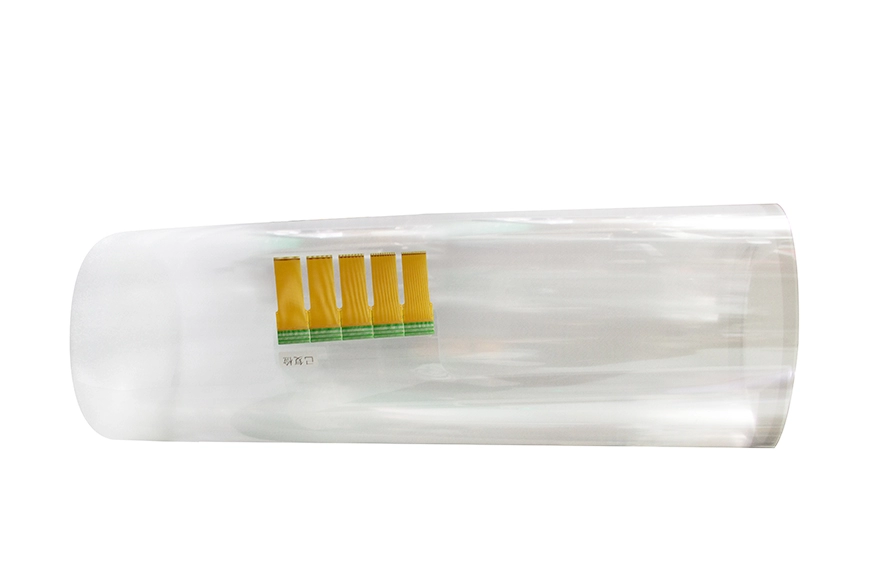
Choosing the right interactive touch foil size is not the same as choosing the biggest option available. In real projects, the best size depends on how people will interact with the surface, how far away they will stand, what the display is being used for, and what kind of material the foil will be mounted on. When buyers compare large-format touch options, they are usually not asking only about dimensions. They are trying to match touch performance, visual effect, installation method, and long-term usability to a specific application. GreenTouch Technology’s interactive touch foil range spans from 10.1 inches to 180 inches across the XTM, XTA, XTB, and XTC series, covering compact interactive panels as well as ultra-large display surfaces.
For buyers planning a glass-based or transparent interactive project, this size range creates a useful question: when should you choose a mid-size foil, and when does it make sense to move into a large or ultra-large format? The answer depends on application logic more than on product labels.
One common mistake in touch display planning is selecting size only by visual impact. A larger surface certainly attracts more attention, but if the use pattern does not require that much touch area, the project may become harder to install and maintain without creating extra value. For example, a small interactive product board, a compact acrylic information panel, or a point-of-sale promotional display often works well with XTM size ranges from 10.1 to 32 inches. That range is more suitable when the interaction is close-up, task-based, and controlled by one person at a time.
By contrast, if the application is meant for public browsing, group collaboration, or large-window engagement, the larger XTA, XTB, or XTC series often make more sense. XTA covers 32 to 65 inches, XTB covers 42 to 153 inches, and XTC extends from 43 to 180 inches, giving buyers room to scale based on viewing distance and interaction style.
Many buyers assume that a “large display” project automatically needs the biggest possible touch foil. In practice, a 32 to 65 inch range is often the most efficient choice for applications where users stand relatively close and the surface is expected to support guided, focused interaction rather than open public engagement.
This range is often well suited for:
GreenTouch’s XTA series is designed for exactly this size band. It gives buyers a way to build touch-enabled surfaces that feel large enough for clear commercial interaction without moving into oversized installation complexity. In many retail or branded environments, this middle range also provides a better balance between visibility and practical installation.
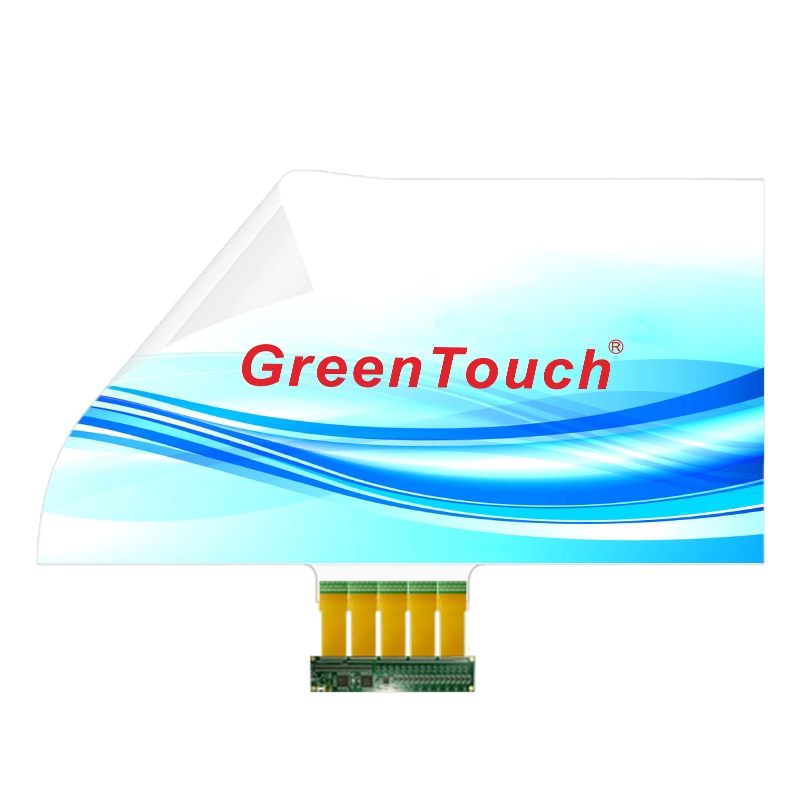
The XTB series becomes more useful when the touch surface needs to support more open interaction, stronger presentation impact, or a wider visible area. This size band is often chosen for spaces where people are not standing directly in front of a compact display but engaging from a little farther back or as part of a shared commercial environment.
This range may be more appropriate for:
The value of moving into this range is not simply more inches. It is more usable interaction area. A larger touch zone allows interface elements to breathe, supports clearer gesture spacing, and can make information easier to browse in public-facing environments. GreenTouch positions the XTB series for 42 to 153 inches, which is a practical range for buyers who need more scale but do not necessarily require the full ultra-large category.
The XTC series, covering 43 to 180 inches, is where interactive touch foil becomes a serious option for ultra-large surfaces. This is not about general-purpose retail displays anymore. It is more relevant when the project itself is built around scale.
Typical examples include:
At this scale, the question shifts from “Can we add touch?” to “How can we keep this surface interactive without destroying the visual concept?” Traditional framed touch solutions may struggle to match the architectural or transparent goals of these projects. GreenTouch’s XTC series is designed to address that by offering ultra-large Interactive PCAP foil with 40-point touch, support for glass, acrylic, and polycarbonate, and a frameless integration path.
The same touch foil size can behave differently depending on the substrate and the final application environment. GreenTouch states that its interactive touch foil can be applied to glass, acrylic, and polycarbonate. That matters because the physical surface affects both the display look and the installation method.
For example:
When the substrate is large and highly visible, buyers often need to think beyond touch function. The optical effect, structural flatness, and installation consistency become more important as the surface grows. That is one reason the best size is usually the one that matches the material and project structure most naturally, rather than the one with the largest diagonal measurement.
A touch surface used at arm’s length should not be sized the same way as one viewed from across a room or through a storefront window. In compact interactive systems, users are close enough to read smaller interface elements and interact precisely with a moderate touch area. In large public displays, users may approach from wider angles or from farther away, which means the interface needs more visible spacing and larger interactive zones.
This is why size selection should be tied to questions like:
A 43-inch foil can work well in one environment and feel undersized in another. A 120-inch foil can be impressive, but it may be unnecessary if the interaction happens at close range on a limited content layout. The right size is the one that matches the real interaction distance.
As touch foil size increases, project complexity increases as well. Larger surfaces place more pressure on alignment, surface preparation, cable planning, and controller setup. GreenTouch’s product pages describe a mounting process that includes cleaning the back of the glass or acrylic, aligning the sensing side carefully, removing air bubbles, connecting the FPC to the controller, then linking the controller by USB and completing calibration.
That means large-format buyers should consider:
A professional supplier becomes more important as the project size grows, because the installation logic matters almost as much as the foil itself.
On a very large interactive surface, even small visual compromises become more noticeable. This is why GreenTouch’s specifications around optical performance matter. The XTC product page states transmittance of at least 93 percent, strong penetration, and full-angle anti-glare.
For buyers choosing between 43 inches and 180 inches, this matters because larger surfaces often serve as visual focal points. If the foil causes a weak display effect, the larger size can actually magnify that weakness. In other words, the success of a larger touch foil project depends not only on touch size, but also on whether the visual experience remains strong enough for the environment.
GreenTouch’s interactive touch foil uses Interactive PCAP with 40-point touch across the featured large-format products. Multi-touch capability becomes more valuable as the surface gets larger, because bigger displays are often used by more than one person or for richer presentation tasks.
For example:
This means size selection should also reflect the interaction model. If the application will involve shared control, large public interaction, or multi-user collaboration, choosing a foil series designed for larger-scale touch use becomes more justifiable.
GreenTouch’s touch foil features include IP67 waterproofing, vandal resistance, and anti-pollution properties. These are especially relevant for larger installations in public-facing environments. A medium touch foil inside a controlled showroom has different requirements than a large foil installed in a busy customer-facing glass wall.
So when choosing between 43 inches and 180 inches, buyers should also ask:
The bigger the public surface, the more important environmental durability becomes in the selection process.
A practical way to select the right size is to think in application bands:
10.1 to 32 inches (XTM)
Best for compact interaction, product displays, smaller acrylic panels, and focused one-user systems.
32 to 65 inches (XTA)
Best for moderate commercial interaction, branded displays, product browsing, and room-based touch systems.
42 to 153 inches (XTB)
Best for larger presentation surfaces, broader public interaction, and more visually dominant display environments.
43 to 180 inches (XTC)
Best for ultra-large glass, architectural, exhibition, and flagship commercial interaction projects where scale is central.
Interactive touch foil sizing is not just a product decision. It is often a project decision. GreenTouch Technology is a professional manufacturer of touch products, including capacitive touch screens, resistive touch screens, infrared touch frames, nano touch foil, touch monitors, touch all-in-one PCs, advertising digital signage, conference touch all-in-one PCs, teaching all-in-one PCs, and advertising machines. The company states that it operates with a fully automatic production line, a fully enclosed dust-free workshop, and formal certifications including ISO9001, ISO14001, CE, FCC, CB, RoHS, UL, CCC, and HDMI.
That matters because large-format touch foil projects often need more than a simple size decision. They may require guidance on customization, mounting services, optical treatment, and project repeatability.
Choosing the right interactive touch foil size is really about choosing the right interaction scale for the application. A smaller foil may create a cleaner and more efficient result for close-up product interaction. A larger foil may unlock better engagement for commercial windows, collaborative displays, or public information systems. The best choice comes from matching size to user behavior, display distance, substrate, and project structure.
For buyers comparing 43 inches to 180 inches, the answer is not “bigger is better.” The better choice is the one that makes the final touch experience more usable, more visually appropriate, and easier to integrate into the real project.