 RU
 ZH
 IT
 ES
 TR
 JA
 PT
 KO
 FR
 DE
 AR
 ID
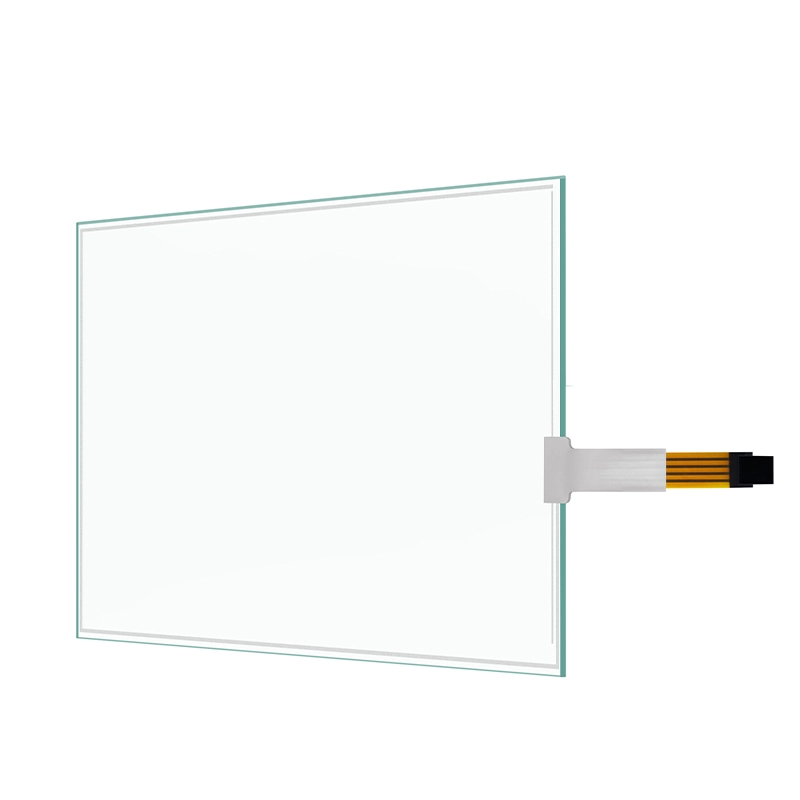
How to Choose a Reliable Resistive Touch Screen Manufacturer for OEM Projects
Learn More



Large-format displays are increasingly used in environments where presenting information clearly is just as important as displaying it at a larger size. In corporate meeting rooms, engineering facilities, educational spaces, digital collaboration environments, and professional control systems, users often need to examine detailed diagrams, read small text, compare data, or interact directly with complex visual content.
However, increasing screen size does not automatically improve image clarity. A large display with insufficient resolution may make fine details appear less defined, particularly when viewed at relatively close distances. This is where pixel density and resolution become important considerations when selecting a large-format touch monitor.
A 65-inch display with 4K UHD resolution provides a substantial screen area while maintaining a detailed image structure. The GreenTouch 65 Inch 4K UHD Touch Screen Monitor combines a 3840 × 2160 resolution with 10-point capacitive touch technology, making it suitable for applications that require both detailed visual presentation and direct screen interaction.
Understanding how pixel density works, how 4K resolution affects different types of content, and what other display characteristics influence image quality can help equipment buyers and system integrators make more informed decisions.
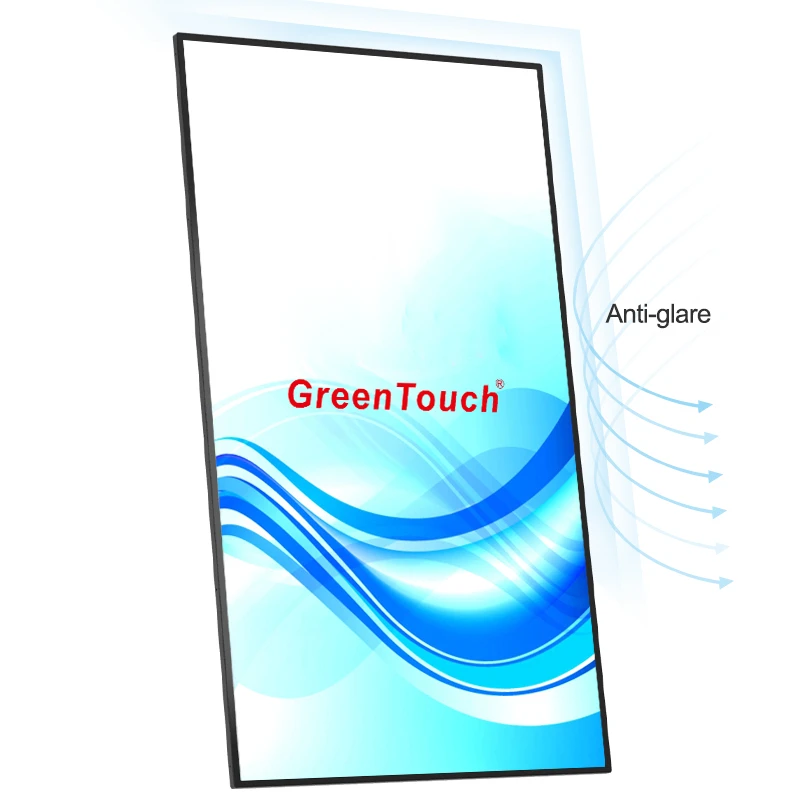
Pixel density describes how closely individual pixels are arranged within a display area. It is commonly expressed as pixels per inch (PPI). A higher PPI generally means that more pixels are available within a given physical area, allowing finer visual details to be represented.
A 65-inch display with a 16:9 aspect ratio and a resolution of 3840 × 2160 has approximately 67.8 pixels per inch. Although this is lower than the pixel density of a small 4K monitor, the larger screen provides a different viewing experience.
The key consideration is not simply the PPI value but how the display is used.
For example, a large screen viewed from several meters away may present text, diagrams, and interface elements clearly without requiring the same pixel density as a desktop monitor used at close range. In professional environments, viewing distance, content layout, font size, and the amount of information displayed all influence perceived clarity.
The 4K resolution also provides four times as many pixels as Full HD at 1920 × 1080. This gives applications more room to present detailed visual information without relying entirely on image enlargement.
For a 65-inch touch display, this is particularly useful when users need to examine large diagrams, technical drawings, data visualizations, or multiple information panels on the same screen.
A 4K UHD display contains 3840 horizontal pixels and 2160 vertical pixels, providing approximately 8.3 million pixels across the screen.
Compared with Full HD, this higher pixel count allows more visual information to be displayed within the same physical screen area. The practical benefits depend on the content source and software configuration.
For professional applications, several improvements are particularly relevant.
Fine text and interface elements
Higher resolution allows software interfaces to display more detailed text and graphical elements. This can be useful for dashboards, technical documentation, and information systems containing multiple labels or data fields. Proper scaling is still necessary to keep text comfortable to read.
Detailed diagrams and drawings
Engineering diagrams, floor plans, equipment layouts, and technical illustrations often contain thin lines, small annotations, and closely spaced elements. A 4K display provides more pixels for representing these details, reducing the need to simplify visual content for presentation.
Multiple information areas
A large 4K screen can accommodate several application windows or information panels simultaneously. Users can compare documents, review reference images, and monitor data without constantly switching between separate screens.
High-resolution visual content
Images and videos produced in 4K can be displayed at their native resolution when the source device, connection, and content support the required signal format.
The 65-inch 4K UHD touch monitor is therefore suitable for environments where large-screen presentation needs to retain sufficient detail for professional viewing and interactive use.
Pixel density alone does not determine whether a display looks sharp. Viewing distance is another important factor.
When users sit or stand close to a large monitor, individual pixels may become more noticeable, particularly when displaying small text or high-contrast lines. At greater distances, the same display may appear smoother because individual pixels are less distinguishable to the viewer.
This relationship should be considered when planning a 65-inch touch display installation.
For example, a meeting room may require users to view presentations from different seating positions. A technical workstation may place operators closer to the screen so they can inspect diagrams and interact with specific interface elements. A public information display may need to remain readable from several meters away.
Before selecting a display, system designers should evaluate:
The typical and maximum viewing distances.
The smallest text and graphical elements displayed.
The number of users viewing the screen simultaneously.
The expected amount of information presented.
Whether users need to interact with the screen directly.
For close-range applications, interface scaling and font size should be configured to maintain readability. For longer viewing distances, text hierarchy, contrast, and content layout become particularly important.
A 65-inch 4K monitor offers a large working area, but the software interface should still be designed around the actual viewing conditions.
Resolution determines how much spatial detail a display can represent, but it is only one part of image quality. Color reproduction and contrast also influence how clearly visual information can be interpreted.
The GreenTouch 65-inch monitor supports 1.07 billion display colors, with a stated color gamut of 99% sRGB and 95% DCI-P3. It also supports 90% NTSC and HDR functionality.
These specifications address different aspects of display performance.
The sRGB color space is widely used for web content, digital graphics, and general computer applications. Broad sRGB coverage is useful when displaying website interfaces, presentation materials, diagrams, and digital images.
DCI-P3 covers a wider range of colors than sRGB in several areas and is commonly associated with digital cinema and professional visual content. Its coverage can be relevant when displaying media produced for wider-gamut workflows.
The 1.07-billion-color specification indicates a high color-depth capability, which can help represent smoother tonal transitions in compatible content. HDR further supports the presentation of image highlights and shadow details, depending on the source material and signal configuration.
For buyers evaluating a large-format display, these characteristics should be considered together with resolution. A screen that presents fine details but reproduces colors poorly may not meet the requirements of visual review, digital media presentation, or professional collaboration.
It is also important to distinguish color gamut coverage from color accuracy. A wide gamut describes the range of colors a display can reproduce, while color accuracy describes how closely the displayed colors match their intended values. Applications requiring strict color matching may need additional calibration and verification.
A large-format touch monitor should do more than display detailed information. It should also allow users to interact with that information naturally.
The 65-inch GreenTouch monitor uses projected capacitive touch technology and supports 10-point multi-touch input. This enables multiple touch points to be detected simultaneously, supporting gestures such as zooming, rotating, and manipulating compatible on-screen content.
For example, in a technical review meeting, users may enlarge a section of an engineering drawing to examine specific details. In an educational environment, instructors can navigate diagrams and move between visual materials directly on the display. In collaborative workspaces, several participants can use touch gestures to explore information without relying entirely on a keyboard and mouse.
The relationship between 4K resolution and touch interaction is especially important.
A high-resolution screen can present detailed content, but the interface must be designed with appropriately sized touch targets. Small icons and closely positioned controls can be difficult to select accurately, particularly when users interact with a 65-inch screen while standing.
When developing a touch-enabled application, designers should consider:
Button and control dimensions.
Spacing between interactive elements.
Touch response requirements.
Gesture compatibility with the operating system.
Interface scaling across different content layouts.
The GreenTouch 65 Inch 4K Touch Screen Monitor combines a thin-bezel structure, optically bonded touch and LCD panels, and 10-point capacitive touch technology. This integrated design supports direct interaction while maintaining a large visual workspace.
The physical structure of a touch display also affects how users perceive image quality.
In a conventional air-gap touch display, a space exists between the touch panel and the LCD. Light passing through multiple layers may produce internal reflections, which can affect visual clarity under certain lighting conditions.
Optical bonding joins the touch panel directly to the LCD panel using a bonding material. By reducing the air gap between these layers, this structure can help minimize internal reflections and improve the perceived clarity of displayed content.
This is particularly relevant for large touch monitors used in meeting rooms, educational environments, and collaborative spaces, where users may view the screen from different positions.
The 65-inch model features a thin-bezel design and a 178-degree ultra-wide viewing angle. These characteristics support installations where multiple people need to view the same content from different seating or standing positions.
When planning an installation, buyers should also consider the display's mounting position, surrounding lighting, and potential reflections from windows or overhead lights. Optical bonding can help with internal reflections, but it does not eliminate every source of external glare.
Surface treatment is another consideration. The monitor supports AG treatment, with AR, AF, and antibacterial options available depending on project requirements. The appropriate treatment should be selected according to the installation environment, cleaning procedures, and intended usage.
A high-resolution touch monitor needs compatible signal connections to receive and display content correctly. The source computer, graphics output, connection cable, and display input must support the intended resolution and signal format.
The GreenTouch 65-inch 4K touch monitor provides the following interfaces:
HDMI 2.0 × 1
HDMI 1.4 × 1
DisplayPort 1.2 × 1
USB
Audio
HDMI 2.0 and DisplayPort 1.2 provide connection options for compatible 4K source devices. HDMI 1.4 can also support 4K output under its applicable bandwidth and refresh-rate limitations. The actual supported display mode depends on the source hardware, cable quality, and connection configuration.
USB is used for the touch interface connection with a compatible host computer. This allows the display to function as an interactive monitor rather than only an image output device.
The monitor also supports automatic power-on or power-off configuration based on power availability or video signal presence, depending on the selected configuration. This can be useful in installations where the display operates as part of a larger AV or information system.
For projects requiring integrated computing, an optional OPS configuration is available. This provides another system integration approach for applications that need a computing module alongside the large-format touch display.
Before installation, system integrators should verify that the source computer supports 3840 × 2160 output, select the appropriate input connection, and confirm that the USB touch connection is correctly configured.
Large-format displays installed in professional environments may be expected to operate for extended periods. Meeting rooms, digital information systems, commercial environments, and control applications can place consistent demands on display hardware.
The 65-inch GreenTouch monitor is specified with a 50,000-hour service life under normal operating conditions and supports 7×24-hour continuous operation. It also comes with a 1–3-year warranty, depending on the applicable product configuration and terms.
For equipment buyers, long-term operation should be evaluated alongside maintenance arrangements and installation conditions.
Several practical measures can help support consistent operation:
Maintain adequate ventilation around the display.
Avoid blocking the rear ventilation openings.
Use compatible power and signal connections.
Keep the screen surface clean using suitable cleaning materials.
Check mounting hardware and cable connections periodically.
Confirm that the connected source equipment meets the required operating specifications.
A suitable maintenance plan should also account for the operating environment, daily usage pattern, and accessibility of the installed display.
For OEM buyers and system integrators, selecting a touch monitor involves more than comparing resolution and display specifications. Manufacturing consistency, bonding processes, product development, and supply capabilities are also important when planning equipment projects.
ShenZhen GreenTouch Technology Co.,Ltd. is a professional manufacturer of touch products, with a portfolio covering capacitive and resistive touch screens, infrared touch frames, nano touch foil, touch monitors, touch all-in-one PCs, and digital signage.
The company operates fully automatic production lines and a fully enclosed dust-free workshop. Its Class 1000 dust-free lamination workshop supports G+G, G+FF bonding, and TP+LCM full lamination processes.
GreenTouch's manufacturing and development resources include:
More than 20 technical engineers.
More than 50 new products developed annually.
More than 20 patent certificates.
Over 30 computer software copyrights.
A 5,000 m² standard production workshop.
Daily production capacity of more than 600 touch panel units.
Approximately 2,000 m² of warehouse space across Huizhou and Shenzhen.
Storage capacity for 20,000 standard products.
The company has obtained ISO9001 quality management system certification and ISO14001 environmental management system certification. Its products have also acquired certifications and approvals including CE, FCC, CB, RoHS, UL, CCC, and HDMI-related certifications, depending on the applicable product.
These capabilities provide a manufacturing foundation for customers looking for touch display products and technical support for different integration requirements.
A 65-inch 4K touch monitor should be evaluated according to the visual content, interaction requirements, viewing distance, installation conditions, and system architecture of the intended application.
For users who need to display detailed diagrams, technical information, high-resolution images, or multiple application windows, 3840 × 2160 resolution provides a substantial visual workspace. Color gamut coverage, HDR support, viewing angle, and optical bonding further contribute to the overall display experience.
Touch technology adds another layer of functionality, allowing users to navigate and manipulate content directly on the screen. Meanwhile, suitable interfaces and optional OPS integration help the monitor fit into different computing and AV environments.
The GreenTouch 65 Inch 4K UHD Touch Screen Monitor combines UHD resolution, 1.07-billion-color display capability, 10-point capacitive touch, optical bonding, and multiple signal interfaces in a large-format display designed for professional applications.
For equipment manufacturers, AV integrators, educational technology providers, and commercial display system developers, selecting the right combination of resolution, touch functionality, and system compatibility can help create a more practical and effective interactive display solution.