 RU
 ZH
 IT
 ES
 TR
 JA
 PT
 KO
 FR
 DE
 AR
 ID
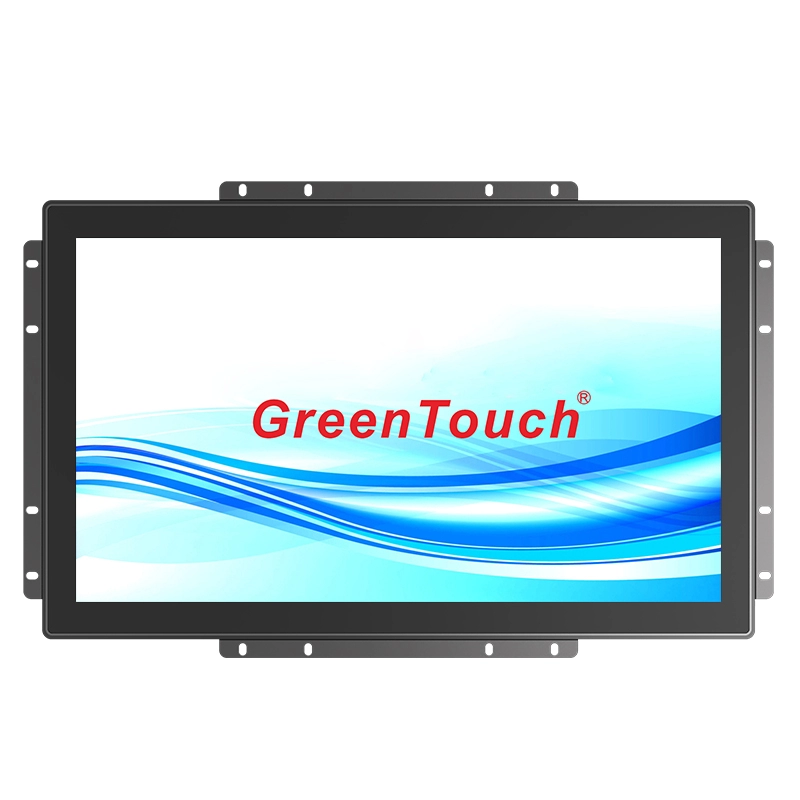
Open Frame Touch Monitor 7-55 Inches: A Practical Guide to Cabinet Integration
Learn More



Industrial and outdoor equipment is often expected to operate in environments where temperature conditions are far less predictable than those found in standard office spaces. Control cabinets may be exposed to freezing conditions during winter, while equipment installed in direct sunlight can experience significant heat buildup during summer. Transportation terminals, outdoor information systems, energy facilities, and industrial production lines all require computing and display equipment that can maintain stable operation despite these environmental changes.
For equipment manufacturers and system integrators, selecting a touch panel PC involves more than checking its screen size or processor specifications. Operating temperature, display characteristics, enclosure protection, thermal management, and installation structure all influence whether a device is suitable for long-term deployment.
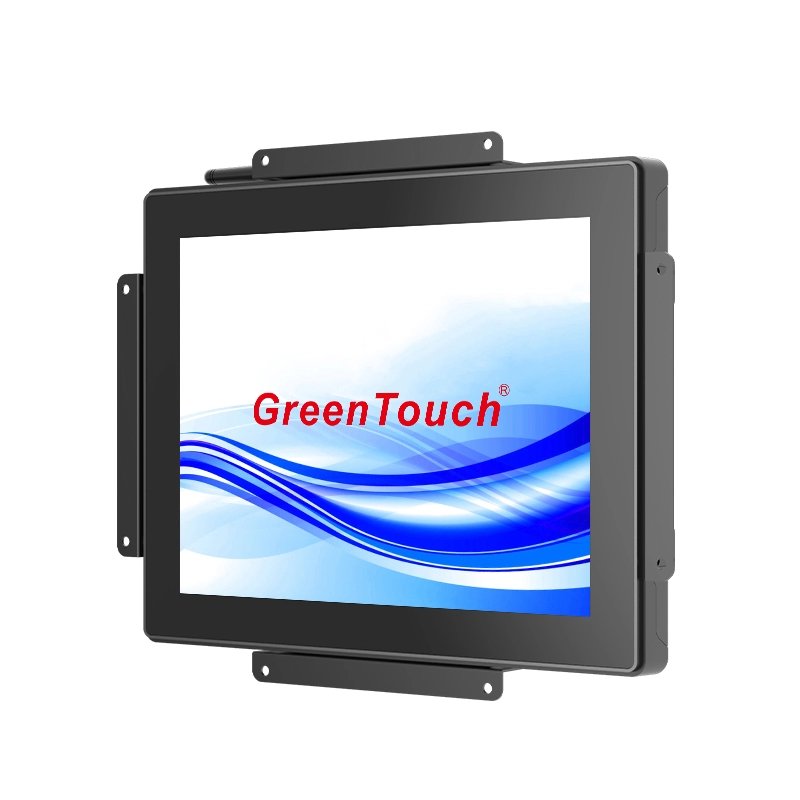
A wide-temperature touch panel PC addresses these requirements by combining industrial display components, integrated computing hardware, and environmental protection features. The GreenTouch High Brightness Touch Panel PC 10.1-23.8 Inches (2CGL Series) is designed for applications requiring responsive touch interaction and clear screen visibility across outdoor, semi-outdoor, and indoor environments. With a specified operating temperature range of -30°C to 70°C, it provides a practical option for projects where ordinary commercial displays may not meet environmental requirements.
Temperature affects several components within an integrated touch computing system. LCD panels, backlight units, processors, memory, storage devices, power circuits, and touch sensors each have their own operating characteristics. When the ambient temperature moves outside the preferred range of a component, its performance and reliability may be affected.
At low temperatures, LCD response characteristics can change. Depending on the panel technology and operating conditions, screen transitions may become slower, potentially affecting the visibility of moving information or rapidly changing interfaces. Touch interaction and other electronic functions must also remain responsive enough for the intended application.
High temperatures create a different set of challenges. Electronic components generate heat during operation, and additional heat from sunlight or nearby industrial equipment can increase the internal temperature of an enclosure. Prolonged exposure to excessive heat may accelerate component aging, affect system stability, and increase the workload on thermal management components.
These factors make operating temperature an important selection parameter rather than a secondary specification. A device intended for an outdoor control station, for example, should be evaluated against the actual minimum and maximum temperatures expected at its installation location.
The 2CGL Series Touch Panel PC supports an operating temperature range of -30°C to 70°C, making it suitable for projects that require a wider environmental operating window than conventional indoor equipment. However, system designers should still consider installation conditions, ventilation, power supply specifications, and the temperature limits of connected peripherals when planning a complete system.
Cold environments can affect the performance of display equipment, especially when devices are installed in exposed locations without climate-controlled enclosures. Outdoor ticketing terminals, transportation information systems, industrial monitoring stations, and energy equipment may need to remain operational during winter conditions.
One important consideration is the LCD panel. At low temperatures, liquid crystal movement can be affected, which may influence response time and display behavior. This is particularly relevant for applications involving dynamic information, control interfaces, or frequently updated operating data.
Touch functionality is another consideration. Operators may need to interact with a screen to adjust parameters, acknowledge alarms, or access equipment information. A suitable industrial touch panel PC should provide consistent touch sensing within its specified operating conditions.
When evaluating equipment for cold environments, buyers should consider:
The manufacturer's specified minimum operating temperature.
Whether the LCD panel is intended for industrial applications.
The expected startup conditions after prolonged exposure to cold.
The installation location and potential exposure to wind or moisture.
The temperature limits of external power supplies and connected devices.
The 2CGL Series combines industrial-grade LCD panels with projected capacitive touch technology. Its optically bonded touch panel and LCD structure provide an integrated display assembly designed for clear viewing and accurate touch input.
For applications exposed to low temperatures, project engineers should also verify startup performance and system behavior under the actual deployment conditions rather than relying only on the stated operating temperature range.
High-temperature environments require careful attention to thermal management. A touch panel PC installed in a metal cabinet, near production machinery, or in direct sunlight may experience higher internal temperatures than the surrounding ambient air suggests.
The processor and other electronic components generate heat while running applications and processing data. The display backlight also contributes to the overall thermal load. If the heat cannot be transferred away efficiently, the internal temperature may rise during extended operation.
Several design factors influence thermal performance:
Internal component layout: The arrangement of processors, circuit boards, and other heat-generating components affects how heat moves through the enclosure.
Air circulation: Internal airflow can help transfer heat away from components and reduce localized temperature buildup.
Enclosure design: A compact, sealed structure may limit natural air exchange, making an appropriate cooling arrangement important.
Installation conditions: Cabinet dimensions, surrounding equipment, ventilation openings, and direct sunlight can all influence operating temperatures.
The GreenTouch 2CGL high-brightness touch panel PC incorporates two low-frequency turbine fans to improve heat dissipation. This active cooling arrangement helps manage heat generated inside the integrated system, particularly when the device operates with a high-brightness display and computing hardware.
For equipment designers, cooling should be evaluated as part of the complete installation. Adequate clearance, suitable mounting orientation, and appropriate cabinet ventilation can help prevent unnecessary heat accumulation. Regular inspection of ventilation paths and cooling components is also useful in environments where dust or airborne particles are present.
Temperature is not the only environmental factor that affects outdoor display performance. Ambient light can also determine whether operators and visitors can read information comfortably. A panel PC may remain operational in a wide temperature range but still be difficult to use if its screen is not bright enough for the installation environment.
Outdoor and semi-outdoor applications often involve direct sunlight, reflected light, and changing illumination throughout the day. Standard commercial displays may have limited visibility under these conditions, particularly when important information needs to remain readable without adjusting the surrounding lighting.
The 2CGL Series provides a high-brightness display with a specified brightness range of 1000–1500 cd/m². This makes it suitable for applications where stronger screen output is required, including outdoor information terminals, transportation systems, and equipment control stations.
Optical bonding is another important part of the display design. By bonding the touch panel directly to the LCD panel, the structure reduces the air gap between display layers. This helps reduce internal reflections and supports better visual clarity compared with conventional air-gap assemblies.
The 2CGL Series also supports 10-point projected capacitive touch. Operators can interact with the interface through responsive touch input, making it suitable for systems that require both information display and direct user control.
When selecting a high-brightness touch panel PC, buyers should evaluate brightness, optical bonding, viewing conditions, and touch requirements together. A higher brightness specification alone does not guarantee ideal visibility in every installation, since ambient light, screen orientation, surface reflections, and viewing angles also influence the result.
Outdoor and industrial equipment may be exposed to dust, splashing water, and airborne contaminants. These conditions can affect the screen surface, enclosure interfaces, and internal electronic components if the equipment is not designed for the installation environment.
Front-panel protection is particularly important for touch panel PCs installed in control cabinets, public terminals, and equipment housings. The display opening is one of the areas that requires careful consideration during system integration.
The 2CGL Series features IP65 front protection, providing resistance to dust ingress and water jets at the protected front surface when correctly installed. Its slim-bezel design and fully sealed touchscreen structure support integration into equipment cabinets and other enclosures.
However, an IP65 front rating should not be interpreted as full-system waterproofing. The rear enclosure, cable connections, mounting interface, and installation openings must also be considered. For example, an installation that leaves gaps around the panel cutout or exposes unprotected connectors may compromise the protection of the complete equipment assembly.
Before deployment, system integrators should confirm:
Whether the required protection applies to the front panel or the entire device.
Whether the cabinet opening matches the manufacturer's installation dimensions.
Whether cable entry points need additional sealing.
Whether the installation is exposed to direct water jets, condensation, or heavy dust.
Whether routine cleaning procedures are compatible with the screen and enclosure materials.
These checks help ensure that the protection level of the installed system matches the actual environmental requirements.
Wide-temperature capability is only one part of equipment selection. Screen dimensions and mounting arrangements also influence usability, installation space, and maintenance access.
The 2CGL Series offers display sizes from 10.1 inches to 23.8 inches, covering a range of equipment configurations and interface requirements.
Smaller displays, such as 10.1-inch and 12.1-inch models, are suitable for compact control cabinets, machine interfaces, and space-limited equipment. Mid-sized options, including 15-inch and 15.6-inch models, provide additional screen area for operating dashboards, parameter settings, and monitoring interfaces. Larger 21.5-inch and 23.8-inch models can support more information-intensive interfaces and public-facing interactive terminals.
The appropriate size depends on several practical factors:
Available installation space and panel cutout dimensions.
Viewing distance and the amount of information displayed.
Touch target size and operator interaction requirements.
Screen orientation and the arrangement of the user interface.
Cable access and maintenance clearance behind the device.
Mounting flexibility is also important. The 2CGL Series supports three installation approaches.
Embedded mounting allows the panel PC to be recessed into a cabinet or equipment housing. This is useful for industrial machinery and integrated control stations where a flush front-facing display is preferred.
VESA mounting supports wall brackets, monitor arms, ceiling mounts, and other compatible mounting accessories. The rear mounting pattern supports 75 × 75 mm or 100 × 100 mm configurations, depending on the model.
Desktop mounting provides another option for workstations, testing environments, and equipment that requires a movable or adjustable display position.
These mounting choices allow OEM manufacturers to incorporate the same product series into different equipment layouts without designing an entirely different display structure for every application.
A touch panel PC combines a display, touch interface, and computing platform in one device. Its hardware configuration should therefore match the software and communication requirements of the equipment.
The GreenTouch 2CGL Series uses Rockchip RK3566, RK3568, or RK3588 processor options, with configurations offering 2–8GB RAM and 32–64GB SSD storage. These hardware choices provide different configuration possibilities for Android-based equipment applications.
When evaluating the computing platform, project engineers should consider the number of applications running simultaneously, the complexity of the user interface, local data storage requirements, and the communication workload. A system displaying basic operating parameters may have different resource requirements from one running multiple monitoring applications.
Connectivity is equally important. The series provides HDMI, Gigabit Ethernet LAN, USB, TF, RS485, RS232, and DC12V connections. Built-in 802.11b/g/n Wi-Fi provides an additional wireless networking option.
These interfaces support different equipment integration needs:
Gigabit Ethernet: Wired network communication and data exchange with compatible systems.
RS485: Communication with industrial devices and control equipment using supported protocols.
RS232: Connection to compatible serial peripherals and legacy equipment.
USB: Expansion through compatible external devices.
HDMI: Connection to supported external display equipment.
The interfaces are positioned on the rear of the display and face downward, helping simplify cable routing in many installation arrangements.
For OEM projects, interface selection should be based on the actual communication architecture rather than the number of ports alone. Engineers should confirm connector accessibility, cable bending space, protocol compatibility, and the requirements of connected devices before finalizing the equipment layout.
For industrial buyers, environmental specifications should be considered alongside manufacturing consistency, quality control, and the supplier's ability to support customized equipment projects.
A touch panel PC intended for demanding environments requires coordination between display manufacturing, touch sensor bonding, electronic assembly, enclosure production, and final inspection. Consistency across these processes can influence the quality of the finished product and its suitability for integration into industrial equipment.
ShenZhen GreenTouch Technology Co.,Ltd. is a professional manufacturer of touch products, offering capacitive and resistive touch screens, infrared touch frames, nano touch foil, touch monitors, touch all-in-one PCs, and digital signage solutions.
The company operates fully automatic production lines and a fully enclosed dust-free workshop. Its manufacturing facilities include a Class 1000 dust-free lamination workshop, supporting G+G, G+FF bonding, and TP+LCM full lamination processes.
GreenTouch's manufacturing and technical capabilities include:
More than 20 technical engineers supporting product development and engineering.
More than 50 new products developed annually.
Over 20 patent certificates and more than 30 computer software copyrights.
A 5,000 m² standard production workshop.
Daily production capacity of more than 600 touch panel units.
Approximately 2,000 m² of warehouse space across Huizhou and Shenzhen, with storage capacity for 20,000 standard products.
The company has obtained ISO9001 quality management system certification and ISO14001 environmental management system certification. Its products have also acquired certifications and compliance approvals including CE, FCC, CB, RoHS, UL, CCC, and HDMI-related certifications, depending on the product model.
For customers developing industrial control equipment, public information terminals, transportation systems, and outdoor interactive devices, these capabilities provide a manufacturing foundation for product selection, technical coordination, and ongoing supply requirements.
Selecting a touch panel PC for extreme operating conditions requires a comprehensive assessment of the installation environment. The specified operating temperature range is an important starting point, but it should be evaluated together with display technology, brightness, thermal management, front-panel protection, mounting structure, and computing configuration.
For outdoor equipment, high brightness and optical bonding help address visibility challenges. For industrial environments, temperature adaptability, suitable cooling, and front-panel protection become important design considerations. For OEM integration, screen size, mounting compatibility, and communication interfaces determine how easily the device fits into the overall system.
The GreenTouch High Brightness Touch Panel PC 10.1-23.8 Inches (2CGL Series) brings these considerations together in an integrated solution. With a -30°C to 70°C operating temperature range, 1000–1500 cd/m² high brightness, IP65 front protection, industrial-grade LCD panels, dual turbine fans, and multiple hardware configurations, it supports a variety of outdoor, semi-outdoor, and indoor applications.
Available in multiple screen sizes and supporting embedded, wall-mounted, and desktop installation, the series offers flexibility for equipment manufacturers and system integrators working across different project requirements.
When planning a new industrial or outdoor system, evaluating these specifications against the actual operating environment can help reduce integration challenges and improve long-term equipment suitability. Choosing an appropriately configured 2CGL Series Touch Panel PC is a practical step toward building a display and control interface designed for demanding operating conditions.