 RU
 ZH
 IT
 ES
 TR
 JA
 PT
 KO
 FR
 DE
 AR
 ID

Key Features to Look for in a Commercial LED-frame Touch Monitor
Learn More



Industrial touch monitors are often installed directly into equipment panels, control cabinets, and operator stations. Unlike desktop displays used in clean office environments, these monitors may be exposed to dust, occasional water splashes, frequent cleaning, and continuous operation. Their front structure therefore plays an important role in protecting internal components while maintaining convenient access for installation and servicing.
A sealed front bezel is more than an exterior design feature. It forms part of the protective boundary between the monitor and its operating environment. For equipment manufacturers, the challenge is to select a structure that provides reliable front-side protection without making cabinet integration or future maintenance unnecessarily complicated.
The Panel Mount Touch Monitor 10.1-23.8 Inches (3E Series) from GreenTouch is designed for industrial applications that require a compact display structure, front protection, and flexible installation. Understanding how its front construction works can help system integrators and OEM manufacturers make better decisions when designing industrial touch interfaces.
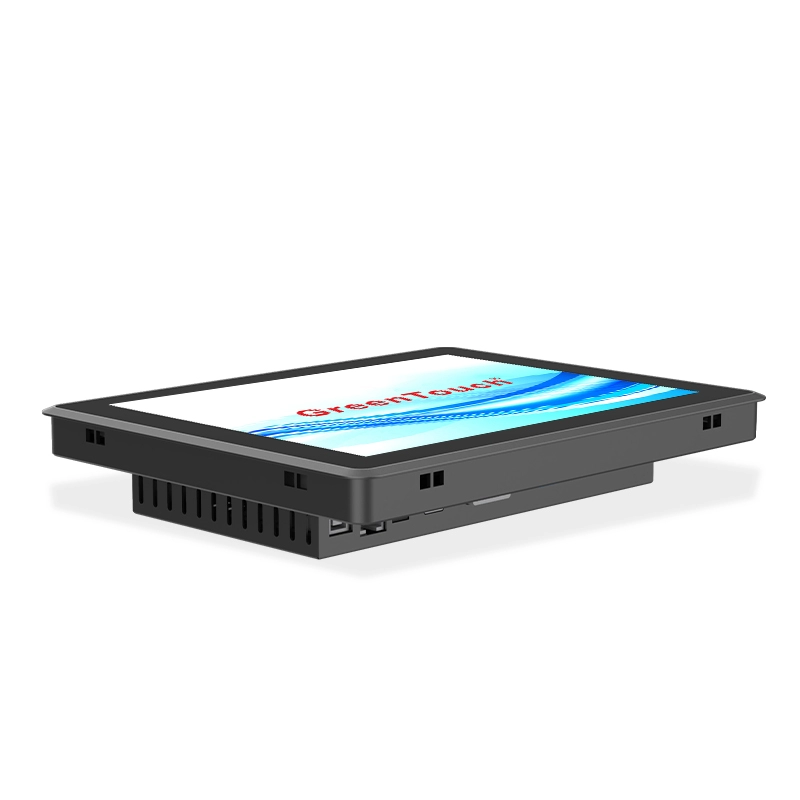
When a touch monitor is embedded in a machine or control cabinet, its front surface is usually the part most directly exposed to the surrounding environment. Operators interact with it throughout the working day, while dust, moisture, and cleaning materials may come into contact with the screen and its edges.
The bezel area is particularly important because the connection between the display assembly and the equipment panel can create potential entry points for contaminants. If this interface is poorly designed or installed, dust and moisture may reach areas that are intended to remain protected.
A properly designed sealed front structure helps reduce these risks by creating a more controlled interface between the monitor and the cabinet. It also supports a cleaner appearance by minimizing exposed gaps around the display.
For industrial applications, this matters in several situations:
Control cabinets installed in workshops where airborne dust is common.
Production equipment that requires regular surface cleaning.
Terminal devices used in public or shared operating environments.
Medical and healthcare-related equipment where surface cleanliness is important.
Industrial machines that remain in operation for extended periods.
The protection level required depends on the installation environment. Equipment designers should consider not only the monitor's rated protection but also the sealing method, panel cutout, mounting hardware, and surrounding enclosure.
A sealed front bezel works together with the display's front assembly and the mounting interface. The objective is to reduce gaps and provide a consistent contact surface between the monitor and the equipment panel.
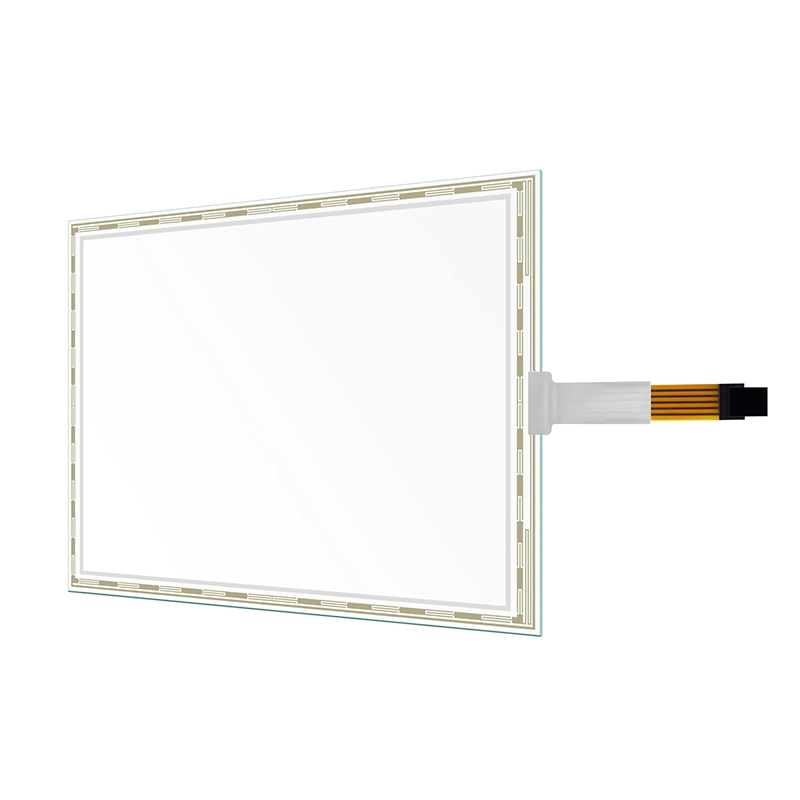
In the 3E series, the touch panel is optically bonded to the LCD panel. The compact front-frame design creates a sealed touchscreen structure that supports cabinet integration. This construction helps reduce unnecessary openings around the front display assembly and provides a more integrated appearance once installed.
The monitor also uses an industrial plastic front shell and a black metal frame. These structural elements provide a practical enclosure for equipment integration while maintaining a straightforward industrial appearance.
The 3E Series Touch Monitor offers IP65 front protection, helping resist dust and water exposure from the front side when correctly installed. However, it is important to understand the scope of this rating. Front protection does not automatically mean that every part of the monitor, including its rear housing and cable connections, is suitable for direct exposure to water or dust.
The complete installation must be considered. The cabinet opening, mounting contact surface, cable routing, and rear enclosure should all match the environmental requirements of the application.
Even a well-designed front bezel cannot deliver its intended protection if the monitor is incorrectly installed. The contact between the monitor and the cabinet panel is an important part of the overall structure.
The 3E series uses two locking clips on each of the four sides of the rear casing. These clips secure the monitor against the front frame or panel, helping it remain firmly positioned within the cabinet.
During installation, equipment designers should pay attention to several practical details.
First, the panel cutout should match the specified monitor dimensions. An opening that is too large may leave insufficient contact around the bezel, while an opening that is too small can make installation difficult or place unnecessary pressure on the housing.
Second, the panel surface should be flat and clean. Uneven surfaces, burrs, paint buildup, or debris around the cutout may interfere with consistent contact between the monitor and the mounting area.
Third, the locking clips should be tightened evenly. Uneven pressure can affect the monitor's position and may create inconsistent contact around the front perimeter. Installers should follow the manufacturer's installation instructions rather than applying excessive force to compensate for an inaccurate cutout.
For projects where repeated installation or replacement is expected, sufficient access to the rear of the cabinet should also be planned. This makes it easier to release the clips and remove the display without disturbing nearby equipment.
A sealed front structure should not make routine maintenance unnecessarily difficult. Industrial equipment may require screen replacement, cable inspection, or internal servicing during its service life. If the monitor is tightly integrated into a cabinet without adequate access, even a simple replacement can become time-consuming.
This is why installation planning should consider both the protective interface and the removal process.
For embedded applications, the 3E series provides a practical balance through its rear locking-clip arrangement. The monitor can be secured to the cabinet panel while remaining removable when servicing is necessary. Technicians can release the clips from the rear instead of relying on permanent bonding between the display and the equipment.
Before finalizing the cabinet design, engineers should consider:
Whether the rear of the monitor remains accessible after installation.
Whether cables can be disconnected without removing other components.
Whether the locking clips can be reached with the available tools.
Whether enough space is available to remove the monitor safely.
Whether replacement units can fit the same panel opening.
These details are especially relevant for production equipment deployed across multiple sites. A consistent mounting arrangement can simplify maintenance procedures and reduce the time required to replace a display.
The Panel Mount Touch Monitor is available in sizes from 10.1 to 23.8 inches, allowing equipment manufacturers to select a display size that fits different cabinet layouts and operator requirements.
Screen dimensions influence more than the visible display area. They also affect cabinet cutout dimensions, internal clearance, mounting positions, and the space available for other control components.
The 3E series covers several aspect ratios and sizes:
16:10: 10.1 inches.
4:3: 10.4, 12.1, and 15 inches.
5:4: 17 and 19 inches.
16:9: 13.3, 15.6, 18.5, 21.5, 23.6, and 23.8 inches.
This range gives OEM manufacturers more flexibility when designing new equipment or replacing displays in existing systems. For example, a compact 10.1-inch monitor may suit a space-limited control panel, while a larger 21.5-inch or 23.8-inch screen can provide more room for complex HMI layouts.
Although embedded installation is particularly relevant to sealed front panel applications, the series also supports wall-mounted and desktop configurations. Its rear VESA mounting options include 75 × 75 mm and 100 × 100 mm patterns, supporting different brackets, arms, and stands.
The appropriate configuration depends on the equipment structure. Embedded mounting is suitable when the display needs to become part of a cabinet front. Wall or arm mounting may be more practical for operator stations that require adjustable positioning. Desktop mounting can be used for standalone control terminals and testing equipment.
Front protection is only one part of industrial monitor reliability. Display construction, touch performance, connectivity, and surface treatment should also be considered during product selection.
The 3E series uses industrial-grade LCD panels and supports projected capacitive touch with up to 10 touch points. This allows operators to interact with control interfaces through responsive touch input. Optical bonding between the touch panel and LCD also helps create an integrated display assembly.
For different working environments, optional surface treatments include AG, AR, AF, and antibacterial finishes. These options serve different purposes, such as reducing glare, managing reflections, improving surface characteristics, or supporting hygiene requirements. The appropriate treatment should be selected according to lighting conditions, cleaning procedures, and the intended use of the equipment.
Connectivity is another consideration. The series supports VGA, DVI, HDMI, DisplayPort, MIC, and audio interfaces, with connections positioned on the rear and facing downward. This arrangement can help simplify cable routing in cabinets where side clearance is limited. The monitor can also be configured to power on or off according to the presence of current or a video signal.
For systems intended for continuous operation, manufacturers should evaluate the complete installation rather than relying on a single specification. The monitor's operating environment, ventilation, power supply, cable protection, and cleaning requirements all contribute to long-term performance.
Standard monitor dimensions and mounting patterns may not meet every equipment project's requirements. OEM manufacturers sometimes need adjustments to the display size, logo, casing color, packaging, or other configuration details to match their product design.
ShenZhen GreenTouch Technology Co., Ltd. specializes in touch products, including capacitive and resistive touch screens, infrared touch frames, touch monitors, and touch all-in-one PCs. The company operates automatic production lines and enclosed dust-free workshops, and has obtained ISO 9001 and ISO 14001 management system certifications.
Its manufacturing and development capabilities include a Class 1000 dust-free lamination workshop, G+G and G+FF bonding, TP+LCM full lamination techniques, and a team of more than 20 technical engineers. The company also reports more than 20 patent certificates, 30 software copyrights, and over 60 other certificates.
For touch monitor projects, production capacity and inventory planning can also affect supply continuity. GreenTouch has a 5,000 m² standard production workshop, a reported daily output of more than 600 touch panels, and warehouse facilities in Huizhou and Shenzhen with a combined area of 2,000 m².
When discussing a customized monitor project, buyers should provide the intended panel cutout, required screen size, installation orientation, operating environment, interface configuration, and any branding requirements. These details help determine whether a standard configuration is suitable or whether customization is needed.
A sealed front bezel is an important consideration when integrating touch monitors into industrial equipment. Its effectiveness depends not only on the front structure itself but also on accurate panel cutouts, consistent mounting pressure, appropriate cable routing, and accessible maintenance arrangements.
The Panel Mount Touch Monitor 10.1-23.8 Inches (3E Series) combines a compact sealed touchscreen structure, IP65 front protection, four-sided locking clips, multiple screen sizes, and flexible mounting options. These features make it a practical option for industrial control panels, terminal equipment, and other embedded touch applications.
By evaluating protection requirements and maintenance access together, equipment manufacturers can develop a more practical installation that supports daily operation and future servicing.