RU
 ZH
 IT
 ES
 TR
 JA
 PT
 KO
 FR
 DE
 AR
 ID

Current Situation and Development Trend of Touch Screen
Learn More



Multi-touch technology has changed how people interact with industrial equipment, commercial displays, educational systems, and collaborative workstations. Instead of relying on a mouse, keyboard, or physical control buttons, users can operate digital interfaces directly through gestures such as tapping, dragging, zooming, and rotating. As touch applications become more complex, the number of supported touch points has become an important consideration during equipment design.
However, choosing between 10-point and 20-point touch does not simply mean selecting the higher number. The appropriate configuration depends on how many users will interact with the screen, what gestures the software needs to recognize, and whether the host system and controller can process multiple simultaneous inputs. For equipment manufacturers and system integrators, understanding these factors helps avoid unnecessary configuration costs and compatibility problems.
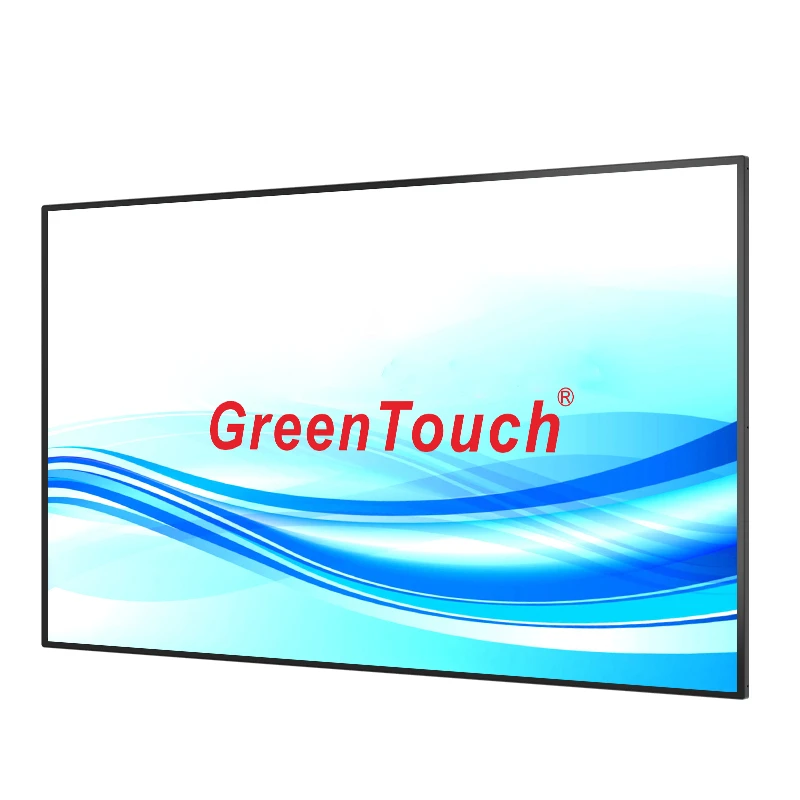
The Capacitive Touch Screen 23.6 to 65 Inches from GreenTouch supports up to 20 touch points, providing a flexible option for projects that require responsive multi-touch interaction across different screen sizes.
What Do 10-Point and 20-Point Touch Actually Mean?
Touch points refer to the number of independent contact positions that a touchscreen can detect and report at the same time. A 10-point touchscreen can recognize up to ten simultaneous touch contacts, while a 20-point model can recognize up to twenty, provided that the controller, operating system, and application software support the corresponding input capacity.
For example, when a user places two fingers on the screen to enlarge an image, the system needs to recognize both contact positions. When several people interact with a large digital interface simultaneously, the screen may need to track many more contact points.
The difference becomes more noticeable in applications involving multiple users or complex gestures. A 10-point configuration is generally sufficient for many conventional interactive tasks, including menu navigation, drawing, document manipulation, and basic collaboration. A 20-point configuration provides additional capacity when more fingers or users need to interact with the same screen at the same time.
It is important to understand that the maximum number of touch points is a hardware capability, not a guarantee that every application will use all available points. Actual performance also depends on the controller, driver, operating system, and software design.
For many commercial and industrial applications, ten simultaneous touch points provide enough input capacity. Most individual users do not need twenty contact points for ordinary touchscreen operation.
In industrial human-machine interfaces (HMI), operators typically use a limited number of fingers to select controls, adjust parameters, move objects, or navigate between screens. A 10-point touchscreen can support these interactions without requiring the additional capacity of a higher touch-point configuration.
Commercial information displays also commonly use a limited set of gestures. Visitors may browse product information, open menus, zoom into images, or interact with digital maps. In these situations, the application usually focuses on clear navigation and reliable response rather than supporting a large number of simultaneous contacts.
Medical display and diagnostic systems may also use multi-touch gestures to manipulate images or review information. The required touch-point capacity should be determined by the specific software workflow and operating environment rather than by the maximum specification alone.
For equipment manufacturers, selecting 10-point touch when it meets the application requirements can simplify the overall design while maintaining the intended user experience.
Twenty-point touch becomes more relevant when an application involves several simultaneous contacts, shared interaction, or more complex input requirements.
Large interactive displays used in education and conference environments are typical examples. During a group discussion, several participants may write, draw, move objects, or manipulate information on the same screen. A higher touch-point capacity provides more room for simultaneous input, especially when multiple users are working in different areas of the display.
In interactive planning systems, collaborative design applications, and public information displays, users may need to perform several touch actions without interrupting one another. A 20-point configuration can provide additional input capacity for these workflows.
The benefit is particularly relevant to larger display formats. A 55-inch or 65-inch interactive surface offers more physical space for several users to work together than a smaller panel. When the software is designed for collaborative interaction, additional touch points can help make better use of that space.
The Capacitive Touch Screen 23.6 to 65 Inches supports up to 20 touch points, making it suitable for projects where the number of simultaneous contacts is an important design requirement. Nevertheless, the actual number of active touch points should be verified with the selected controller and host system before production.
The number of touch points and the physical screen size are related, but they should not be treated as interchangeable specifications. A larger screen does not automatically require twenty touch points, and a smaller screen does not necessarily need fewer.
GreenTouch offers regular screen sizes of 23.6, 27, 32, 43, 49, 55, and 65 inches, with a 16:9 aspect ratio. These options cover different equipment layouts and interaction environments.
For a 23.6-inch or 27-inch screen installed in industrial equipment, one operator may control the interface at a time. In this case, the decision should focus on the software's gesture requirements and the physical operating area.
A 32-inch or 43-inch touchscreen may be used in commercial information systems, interactive kiosks, or conference equipment. The appropriate touch-point capacity depends on whether the display is intended for individual operation or shared interaction.
For 49-inch, 55-inch, and 65-inch displays, collaborative applications become more practical because several users can access different parts of the screen. If the software supports simultaneous multi-user input, a 20-point configuration may be worth considering.
The correct selection should therefore account for screen dimensions, user behavior, application design, and installation conditions together.
A touchscreen's advertised touch-point capacity is only one part of the complete input system. The controller receives signals from the touch panel, processes the detected contact positions, and communicates the resulting input data to the host device.
The product supports controllers from WEIDA, ILITEK, and EETI, with USB and RS232 connection options. These choices allow equipment manufacturers to match the touchscreen configuration with their existing electronic architecture.
Before selecting a controller, project engineers should confirm several details:
Whether the controller supports the required number of simultaneous touch points.
Whether the communication interface matches the host device.
Whether suitable drivers or firmware are available.
Whether the operating system can recognize and process multi-touch input.
Whether the target application can use the required number of contact points.
GreenTouch capacitive touchscreens support mainstream operating systems including Windows, Android, and Linux. However, compatibility should be confirmed for the specific operating system version, controller, and software environment used in the project.
A touchscreen may physically support twenty points, but if the host system or application only processes ten, the additional capacity will not be fully utilized. Testing the complete configuration before mass production is therefore an important step.
Touch-point capacity is not the only factor that influences the quality of interaction. The cover glass, conductive structure, bonding process, and surface treatment also affect how users operate the display.
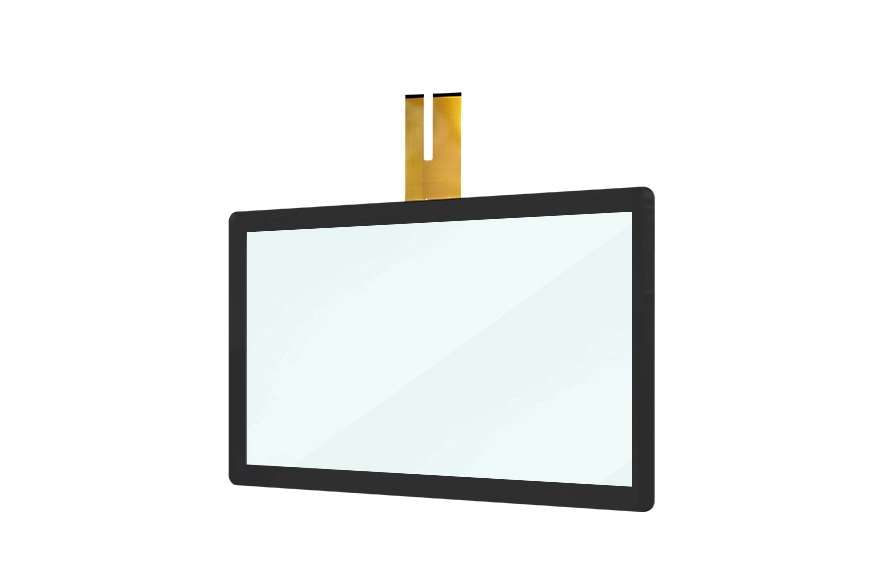
The GreenTouch product uses a structure consisting of Glass, ITO Glass, SCA, and FPC. Its cover glass can be configured with 3mm tempered protective glass, with impact-protection options up to IK08 and IK10+ depending on the selected configuration and testing requirements.
For applications in public areas, industrial environments, and shared workspaces, protective glass helps reduce the risk of surface damage caused by everyday contact. The glass thickness and mechanical structure should be selected according to the equipment enclosure, installation method, and expected operating conditions.
Surface treatments are another consideration. Anti-glare (AG) treatment can help reduce distracting reflections, anti-reflective (AR) treatment can improve light transmission, and anti-fingerprint (AF) treatment can make the surface easier to maintain. Antibacterial and bacteriostatic treatments are also available for projects with specific hygiene requirements.
The product offers optical transparency above 85%, supporting clear visual transmission through the touch panel. For display manufacturers, this is particularly relevant when the touchscreen is installed over an LCD panel and needs to maintain good image visibility.
OEM and ODM projects often involve mechanical and electrical requirements that differ from standard touchscreen installations. A panel that works in one enclosure may need adjustments before it can be integrated into another device.
GreenTouch provides customization options covering screen size, logo, color, casing, packaging, FPC outlet location, ITO glass thickness, controller selection, and interface configuration. These options allow the touchscreen to be adapted to the equipment's internal layout and external design.
For example, the FPC outlet location should be considered early in the mechanical design process. If the cable exits from the wrong side, it may interfere with the motherboard, mounting brackets, or internal wiring. Similarly, the glass thickness needs to match the enclosure structure and intended protection level.
The Capacitive Touch Screen 23.6 to 65 Inches can be configured for different equipment requirements, allowing project teams to consider touch-point capacity, physical dimensions, glass structure, and connection methods as part of one coordinated design.
Before confirming a 10-point or 20-point configuration, buyers and engineering teams should evaluate the touchscreen in the actual application environment.
First, define the expected number of simultaneous users and the gestures required by the software. A single-user control interface may not need twenty points, while a collaborative education display may benefit from the additional input capacity.
Second, verify the controller and communication interface. The controller must support the intended touch-point count and communicate correctly with the host device.
Third, test the complete system rather than evaluating the touch panel independently. Connect the FPC to the driver board, connect the USB interface to the host, install the required drivers, and configure the software. Then test simultaneous contact recognition, gesture response, coordinate accuracy, and touch stability.
Finally, check the mechanical installation and surface requirements. Glass thickness, FPC routing, anti-glare treatment, and protective performance should all match the equipment's operating environment.
Selecting a touchscreen supplier involves more than comparing technical specifications. Buyers also need to consider manufacturing consistency, customization capability, quality inspection, and the supplier's ability to support integration work.
ShenZhen GreenTouch Technology Co., Ltd. is a professional manufacturer of touch products, including capacitive touchscreens, resistive touchscreens, infrared touch frames, nano touch foil, touch monitors, touch all-in-one PCs, and digital signage products.
The company operates automated production lines and an enclosed dust-free workshop, supported by ISO9001 quality management system and ISO14001 environmental management system certifications. Its product certifications include CE, FCC, CB, RoHS, UL, CCC, and HDMI.
GreenTouch has a Class 1,000 dust-free lamination workshop and applies G+G, G+FF, and TP+LCM full-lamination techniques. Its 5,000 m² production workshop supports a daily output of more than 600 touch panels. The company also maintains warehouse facilities in Huizhou and Shenzhen, with a combined area of 2,000 m² and storage capacity for up to 20,000 standard-stock pieces.
Its R&D team includes more than 20 technical engineers, with over 50 new products developed annually. The company also reports more than 20 patent certificates, over 30 computer software copyrights, and more than 60 other certificates.
These manufacturing and development capabilities support projects that require customized touchscreen structures, controller configurations, and complete solutions involving touchscreens, controllers, firmware, and software.
The choice between 10-point and 20-point capacitive touch should be based on actual interaction requirements rather than the maximum specification alone. Ten-point touch is suitable for many individual-user interfaces and conventional interactive applications, while twenty-point touch provides additional capacity for collaborative displays and software that requires more simultaneous contacts.
Screen size, controller capability, operating system support, glass structure, and installation conditions all contribute to the final result. By evaluating these factors together, equipment manufacturers can select a touchscreen configuration that meets both technical and practical requirements.
With multiple sizes from 23.6 to 65 inches, support for up to 20 touch points, and flexible customization options, the Capacitive Touch Screen 23.6 to 65 Inches from ShenZhen GreenTouch Technology Co., Ltd. provides a configurable solution for industrial, commercial, educational, and professional interactive display projects.