 RU
RU ZH
ZH IT
IT ES
ES TR
TR JA
JA PT
PT KO
KO FR
FR DE
DE AR
AR ID
ID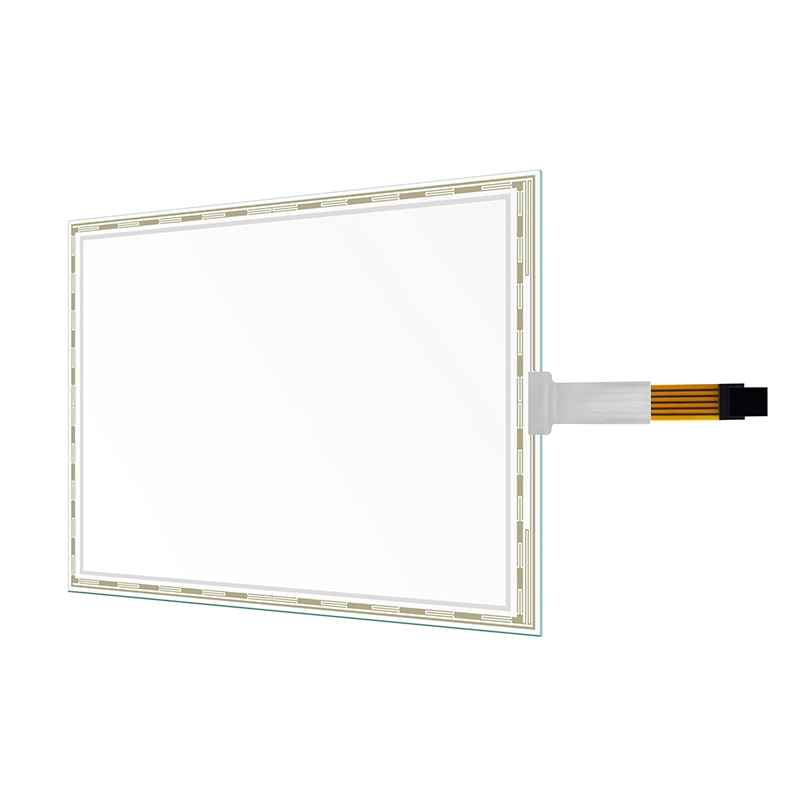
Resistive Touch Screen Solutions for HMI, POS, Medical, and Self-Service Devices
Learn More



When a 4K touch monitor is used for professional work, resolution is only one part of the display specification. A screen can have 3840 × 2160 pixels and still produce very different visual results depending on its color gamut, color depth, HDR capability, and display calibration.
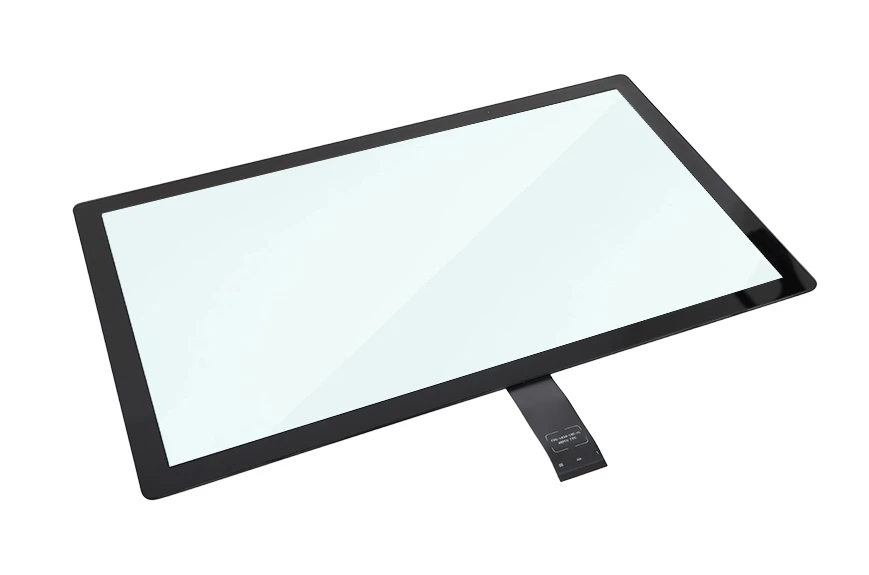
For applications where users need to see colors accurately and distinguish subtle changes between images, 99% sRGB and 95% DCI-P3 are more meaningful specifications than resolution alone. The 27 Inch 4K UHD Touch Screen Monitor combines these wide color gamut specifications with 4K UHD resolution, 1.07 billion display colors, HDR, and 10-point projected capacitive touch, creating a display platform designed for both visual detail and direct interaction.
sRGB is one of the most widely used color spaces for digital content. It is commonly associated with websites, general computer graphics, digital interfaces, and many consumer displays.
When a monitor covers 99% of the sRGB color space, it can reproduce a large portion of the colors defined within that standard. For users working with content designed around sRGB, high coverage helps reduce the difference between the intended colors and what appears on the screen.
This matters when the display is used for image review, digital content creation, product visualization, interface design, or other tasks where color differences need to be visible.
However, a high sRGB coverage figure should not be interpreted as a guarantee of perfect color accuracy. Color gamut describes the range of colors a display can reproduce. It does not, by itself, describe how accurately those colors are reproduced.
Other factors, including calibration and Delta E performance, also need to be considered when color accuracy is important.
DCI-P3 was originally developed for digital cinema and covers a wider range of colors than sRGB in several areas, particularly in parts of the red and green regions.
A monitor with 95% DCI-P3 coverage can therefore reproduce a broader range of colors than a typical display designed only around a narrower color space.
For professional users, this can make a visible difference when working with content that uses a wider gamut. It can help preserve richer colors and more subtle transitions in applications involving video, photography, visual design, digital media, and product presentation.
The 27 Inch 4K UHD Touch Screen Monitor supports 99% sRGB and 95% DCI-P3 coverage. These specifications give users a useful combination: strong coverage of the widely used sRGB space while also supporting a much wider DCI-P3 color range.
The right choice still depends on the software and content being displayed. A wide-gamut monitor is most useful when the workflow can actually make use of the additional color range.
One of the most common mistakes when comparing professional monitors is treating color gamut and color accuracy as the same specification.
They measure different things.
Color gamut describes the range of colors that a display is capable of reproducing. Color accuracy describes how closely the displayed color matches the intended or reference color.
For example, two monitors may both cover 95% of DCI-P3 but produce different visual results because of differences in calibration, panel characteristics, processing, or other display parameters.
Delta E, commonly written as ΔE, is one way of evaluating color difference. A lower Delta E generally indicates a smaller difference between the displayed color and the reference color.
Therefore, buyers evaluating a monitor for color-sensitive work should look at the complete display specification instead of selecting a product based only on its highest color-gamut percentage.
The 27 Inch 4K UHD Touch Screen Monitor uses a 3840 × 2160 resolution. This provides four times the pixel count of a Full HD 1920 × 1080 display.
On a 27-inch screen, this high pixel density makes small interface elements, fine lines, text, product details, and high-resolution images appear more defined.
But resolution and color gamut solve different problems.
Resolution determines how much spatial detail the display can show. Color gamut determines the range of colors available within that image.
A high-resolution display with a narrow color gamut can show very detailed images with limited color range. A wide-gamut display with lower resolution can show richer colors but less fine detail.
Combining 4K resolution with 99% sRGB and 95% DCI-P3 therefore addresses both aspects of the visual experience: fine image detail and a broad range of reproducible colors.
Color depth is another specification worth considering when evaluating a professional display.
The monitor supports 1.07 billion display colors. A higher number of displayable colors can help create smoother transitions between shades and reduce visible color banding in suitable content.
Color banding can appear when a smooth gradient contains visible steps instead of a continuous transition. This can be noticeable in skies, shadows, gradients, lighting effects, and other areas where colors change gradually.
The combination of a wide color gamut and high color depth is particularly useful because reproducing a wider range of colors is only part of the task. The display also needs enough tonal steps to represent transitions between those colors smoothly.
For users reviewing detailed visual content, this can make subtle differences easier to identify.
HDR is another feature of the monitor that works together with its color capabilities.
High Dynamic Range is designed to provide a greater range between darker and brighter portions of an image. When properly supported by the content and display system, HDR can make highlights more distinct while preserving additional detail in darker areas.
On the 27 Inch 4K UHD Touch Screen Monitor, HDR works alongside 4K resolution, wide color gamut, and 1.07 billion display colors.
These technologies address different aspects of image reproduction. 4K provides high spatial detail, the color gamut defines the available range of colors, color depth supports smoother tonal transitions, and HDR expands the range between dark and bright image information.
The result is more useful when the content itself is created or configured to take advantage of these capabilities.
A 27-inch display provides a useful balance between screen area and pixel density.
At 3840 × 2160 resolution, the relatively compact 27-inch screen packs a large number of pixels into a limited physical area. This is useful when the monitor needs to display detailed content without requiring the desk or equipment enclosure of a much larger screen.
For professional equipment, this can be particularly relevant when the display needs to remain within a defined installation footprint.
The touch function also adds another layer of usability. Instead of relying entirely on a keyboard, mouse, or external control panel, operators can interact directly with the content displayed on the screen.
Visual performance is only one side of this monitor.
The 27 Inch 4K UHD Touch Screen Monitor uses projected capacitive technology with 10-point touch capability. This allows the display to respond to multiple simultaneous touch points rather than treating interaction as a single-point input.
For interactive interfaces, multi-touch can support gestures such as zooming, rotating, scrolling, handwriting, and simultaneous control operations, depending on the application software.
The monitor uses an optically bonded touch panel and LCD panel, helping integrate the touch layer with the display structure while maintaining a clean front surface.
This makes the product suitable for applications where users need to examine visual information and interact with it directly.
A professional touch monitor also needs to fit into the existing system architecture.
The monitor provides Type-B USB, USB, two HDMI ports, DP, and an earphone interface. The video connections allow different host systems or signal sources to be connected according to the equipment design.
The ports are positioned on the rear of the monitor and face downward, which can help with cable routing when the monitor is installed in equipment or placed against a mounting structure.
The monitor can also be configured to power on or off automatically according to the presence of current or a video signal. This can be useful in equipment where the display needs to follow the operating state of the host system.
Color performance is important, but physical protection can be equally important when the monitor is installed outside a conventional office environment.
The front panel provides IP65-rated protection against water and dust. It also has an IK08 front protection rating for impact resistance.
The industrial plastic front shell and metal frame provide a structure designed for more demanding equipment environments.
Surface treatment can also be specified according to the application, with AG, AR, AF, antibacterial, and other optional treatments available. These options allow the front surface to be adapted to different requirements involving glare, reflections, fingerprints, or hygiene.
A wide-gamut 4K touch monitor can be useful when an application requires both detailed visual information and direct user interaction.
Potential use cases include professional visualization equipment, interactive control systems, digital design interfaces, multimedia equipment, inspection systems, and other applications where operators need to view high-resolution content while interacting with it directly.
The important point is that the display should be evaluated according to the complete system requirement. If the application only needs basic office graphics, 95% DCI-P3 may not be a major selection factor. If the system handles color-sensitive content, however, wide-gamut support becomes much more relevant.
When comparing monitors with similar 4K resolution, buyers can evaluate the following specifications together:
sRGB and DCI-P3 coverage
Color depth
Delta E or other color accuracy information
HDR support
Native resolution
Screen size and pixel density
Touch technology and number of touch points
USB and video interfaces
Front-panel protection
Surface treatment
Installation and cable-routing requirements
This approach prevents one specification from dominating the entire purchasing decision.
A monitor with 4K resolution may look attractive on paper, but the actual application may depend more heavily on color gamut, touch response, physical protection, or connectivity.
ShenZhen GreenTouch Technology Co.,Ltd. develops and manufactures touch products including capacitive touch screens, resistive touch screens, infrared touch frames, nano touch foil, touch monitors, touch all-in-one PCs, digital signage, and interactive equipment.
The company operates a Class 1000 dust-free lamination workshop supporting G+G, G+FF bonding, and TP+LCM full lamination technologies. Its touch monitor and touch panel production facilities also support standardized manufacturing and quality control.
GreenTouch has more than 20 technical engineers, develops more than 50 new products annually, and holds more than 20 patent certificates, 30+ software copyrights, and more than 60 other certificates. Its management systems include ISO9001 and ISO14001 certification, while its products have obtained certifications such as CE, FCC, CB, RoHS, UL, CCC, and HDMI.
For projects that require detailed 4K images, broad color coverage, direct touch operation, and a more protected front panel, the 27 Inch 4K UHD Touch Screen Monitor brings these requirements together in a single display platform.
The combination of 3840 × 2160 resolution, 99% sRGB, 95% DCI-P3, 1.07 billion colors, HDR, and 10-point PCAP touch makes the 27 Inch 4K UHD Touch Screen Monitor a practical option for equipment manufacturers and system integrators that need both detailed visual output and direct interactive control.