 RU
RU ZH
ZH IT
IT ES
ES TR
TR JA
JA PT
PT KO
KO FR
FR DE
DE AR
AR ID
ID
Advantages of new energy vehicle display screens
Learn More



Interactive displays are expected to respond naturally when users tap, drag objects, zoom into content, or rotate images. For equipment manufacturers, achieving this experience involves more than selecting a display with a suitable resolution. The touch sensor must detect finger movements consistently, support the required gestures, and fit the mechanical structure of the finished device.
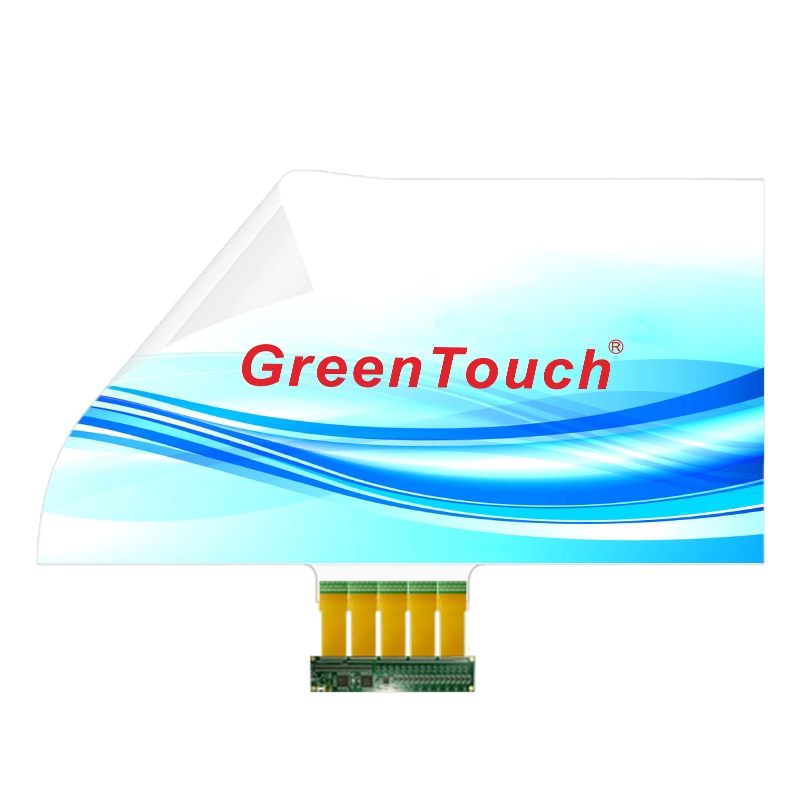
Interactive Touch Foil 10.1 to 32 Inches (XTM Series) is designed for projects that need to add touch functionality to glass, acrylic, or polycarbonate surfaces. With interactive projected capacitive (PCAP) technology supporting 12 touch points, this series can be considered for information kiosks, vending machines, interactive display windows, digital signage, smart conference tables, and game tables.
However, the number of touch points alone does not determine the quality of the user experience. Understanding how touch accuracy, display dimensions, installation quality, and software behavior work together helps manufacturers choose and integrate the right touch solution.
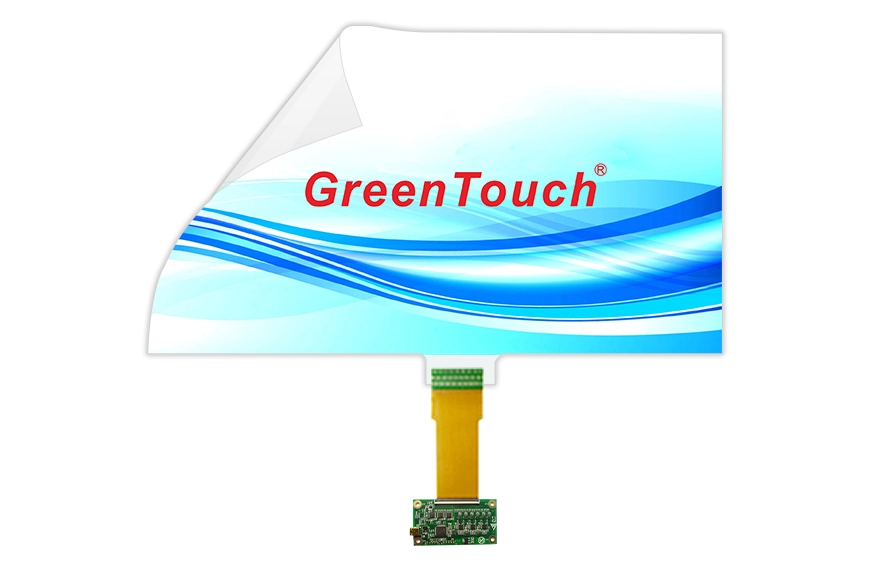
Projected capacitive touch technology detects changes in the electrical field when a finger approaches or contacts the sensing surface. The controller processes these signals to identify touch positions and report them to the host system.
A 12-point PCAP touch foil can support up to 12 simultaneous touch points, subject to the capabilities of the complete system. This is useful when an application requires several fingers to interact with the screen at the same time.
For example, a user may use two fingers to zoom into a map, rotate an image, or manipulate an object on an interactive table. A collaborative application may also allow multiple users to interact with different areas of a display. In these situations, multi-touch capability gives software more input information to work with.
Nevertheless, supporting 12 touch points does not automatically guarantee that every gesture will perform correctly. The operating system, application software, controller configuration, and mechanical installation all affect the final result. Developers should test the intended gestures on the complete device rather than relying only on the sensor's maximum touch-point specification.
Different interactive devices place different demands on touch detection. Before selecting a touch foil, equipment designers should identify how users will interact with the interface and which types of input matter most.
For information kiosks, accurate single-finger selection is often the main requirement. Users need to tap menu items, choose services, and move between interface screens without repeated attempts. Testing should focus on button response, touch registration near screen edges, and consistent operation across the active area.
Vending machines have a different interaction pattern. Users may select products, adjust quantities, or navigate payment options. The touch interface should register deliberate selections reliably and remain usable after routine cleaning.
Interactive tables and game tables may require more extensive multi-touch testing. Dragging objects, rotating graphics, and zooming with two fingers should feel consistent across the surface. If several users interact simultaneously, testing should also cover separate touch locations and overlapping movements.
For these applications, Interactive Touch Foil with 12-point PCAP capability provides a basis for multi-touch input. The final selection should still reflect the actual software, expected number of simultaneous users, and physical layout of the display.
The XTM series covers sizes from 10.1 to 32 inches, with available options across 16:9, 4:3, and 16:10 aspect ratios. This range allows equipment manufacturers to consider the touch layer alongside their display and enclosure designs.
Choosing the correct diagonal size is only the first step. The touch foil's active area must correspond to the usable display area, and the sensor must be positioned correctly behind the intended touch surface.
For instance, a 21.5-inch display installed in a self-service kiosk may have a bezel, mounting frame, or protective glass that changes the dimensions of the visible area. If the sensor and display are misaligned, the reported touch position may not correspond to the location selected by the user.
Before ordering, confirm the display's diagonal size, aspect ratio, active area, mounting dimensions, and the intended position of the sensor. Where a custom size is required, discuss the mechanical drawing and installation arrangement with the supplier before finalizing the enclosure.
It is also worth testing the touch response at the corners and along the edges. These locations can reveal alignment or integration issues that may not appear during basic center-screen testing.
A major advantage of touch foil is that it can add interactive functionality without requiring a conventional framed touch panel. The XTM series uses an ultra-thin, 0.2 mm transparent PET film and is designed for application with glass, acrylic, and polycarbonate.
The specified light transmittance is at least 93%, making transparency an important consideration for display windows and digital signage where the underlying content needs to remain visible. Actual optical performance will also depend on the display, substrate, adhesives, surface treatments, and installation quality.
Each substrate requires appropriate preparation. The mounting surface should be clean, dry, and flat before the film is applied. Dust, trapped air, wrinkles, or uneven adhesion can affect the finished appearance and may complicate troubleshooting.
Custom options include anti-glare (AG), anti-fingerprint (AF), and anti-reflection (AR) treatments, as well as size, logo, and pasting services. These options should be evaluated according to the viewing environment and maintenance requirements rather than selected automatically for every project.
For curved applications, confirm the intended geometry and mounting conditions with the supplier. Although the XTM series supports flat and curved applications, compatibility should be verified for the specific curvature and assembly design before production.
Even a suitable sensor can perform inconsistently if it is installed incorrectly. A controlled installation process helps reduce avoidable problems before the device enters production.
Start by cleaning and drying the rear surface of the glass or other compatible substrate. Remove the protective layer from the film and identify the sensing side according to the supplier's instructions. Align the sensor carefully before applying it to the mounting surface.
During adhesion, work gradually and use an appropriate scraper to remove trapped air. Avoid wrinkles, uneven pressure, and unnecessary pulling on the flexible circuit. Once the film is secured, connect its flexible printed circuit (FPC) to the matching controller using the designated connector.
The controller can then be connected to the host device through the supplied USB cable. Complete the required system setup and calibration before evaluating touch performance.
Calibration is particularly important when checking whether the reported touch coordinates match the visible interface. Test several points across the display, including the corners, edges, and center. If a consistent offset appears, inspect alignment and calibration before assuming that the sensor itself is defective.
For production environments, documenting these steps helps different technicians follow the same process and makes it easier to trace installation-related issues.
Touch accuracy also depends on how the controller communicates with the host system. The XTM series uses a USB 2.0 full-speed interface and is specified for compatibility with Windows, Android, and Linux.
For OEM projects, confirm that the selected controller and host device work together under the intended operating system version. Basic connection tests should verify that the device is recognized, touch coordinates are reported correctly, and the application responds to the required gestures.
The supplier describes the interface as driver-free, with calibration still required. Actual setup requirements should be verified against the selected hardware and software environment, particularly for embedded systems or customized operating system images.
A practical acceptance test should include repeated taps, continuous dragging, two-finger zooming and rotation, and simultaneous touch input. Run the tests after installation and again after the assembly has been fitted into its final enclosure. This helps identify issues caused by the complete device structure rather than the touch foil alone.
Touch devices in public environments face more than frequent interaction. They may also be exposed to fingerprints, routine cleaning, accidental impacts, and moisture.
The XTM series specifies IP67 waterproof protection and resistance to vandalism and pollution. These features are relevant when evaluating touch solutions for public-facing equipment, but project teams should confirm the applicable test conditions and protection scope before relying on them in a finished product.
In particular, the touch foil's stated protection level should not be assumed to apply automatically to the entire device. The enclosure, seams, cable exits, controller, connectors, and installation method can affect the assembled system's resistance to water and contaminants.
For vending machines and information kiosks, consider the actual cleaning agents, frequency of use, exposure to liquids, and expected service conditions. A prototype tested under representative conditions can help verify that the selected construction meets the application's requirements.
Touch foil selection is often part of a larger equipment development project. The supplier's ability to support customization, controller integration, manufacturing consistency, and technical communication can therefore be as important as the sensor specification.
ShenZhen GreenTouch Technology Co.,Ltd. is a professional touch product manufacturer offering capacitive and resistive touch screens, infrared touch frames, nano touch foil, touch monitors, and integrated touch systems. Its manufacturing capabilities include a Class 1000 dust-free lamination workshop, multiple bonding techniques, and a standard production workshop covering 5,000 square meters.
The company also reports more than 20 technical engineers, over 50 new products annually, and more than 10 annual patents. Its quality and product credentials include ISO 9001 and ISO 14001 management system certifications, alongside product certifications such as CE, FCC, CB, and RoHS.
For an XTM series project, buyers should provide the target display size, substrate material, aspect ratio, expected touch gestures, host operating system, and installation drawings where available. These details help establish whether a standard size is appropriate or whether customization and additional validation are necessary.
Before approving a touch foil for production, review the following points:
Touch requirements: Confirm whether the application needs single-finger input, multi-touch gestures, or simultaneous interaction by several users.
Display compatibility: Verify the diagonal size, aspect ratio, active area, and sensor alignment.
Substrate and installation: Confirm material compatibility, surface preparation, mounting geometry, and any curved-surface requirements.
Controller and software: Test USB connectivity, operating system recognition, calibration, and application behavior.
Optical performance: Evaluate transparency, reflections, glare, and the suitability of optional surface treatments.
Environmental conditions: Review cleaning methods, moisture exposure, mechanical protection, and the requirements of the complete enclosure.
Production validation: Test the finished assembly under realistic operating conditions before approving volume production.
A structured evaluation helps manufacturers distinguish between sensor specifications and the performance of the finished interactive device.
Choosing a 12-point PCAP touch foil requires more than counting simultaneous touch inputs. The right solution must match the intended gestures, display geometry, substrate, controller, software, and operating environment. Installation and system-level testing are equally important for achieving consistent results.
The Interactive Touch Foil 10.1 to 32 Inches (XTM Series) offers a combination of 12-point PCAP touch, a 0.2 mm transparent PET film, multiple display sizes, and customization options for flat or curved applications. By defining requirements early and validating the complete assembly, OEMs and system integrators can make better-informed decisions for kiosks, vending machines, digital signage, interactive tables, and other touch-enabled equipment.
For projects requiring a customized touch interface, ShenZhen GreenTouch Technology Co.,Ltd. can be consulted regarding available sizes, substrate compatibility, controller configuration, and installation requirements.