 RU
RU ZH
ZH IT
IT ES
ES TR
TR JA
JA PT
PT KO
KO FR
FR DE
DE AR
AR ID
ID
How 65 Inch 4K UHD Touch Screen Monitors Enhance Interactive Display Experiences
Learn More



When a large touchscreen is used to display product designs, technical diagrams, medical images, or interactive visual content, image quality involves more than resolution alone. Colors must appear consistent, gradients should remain smooth, and visual details need to be reproduced in a way that supports the task. For equipment manufacturers and system integrators, these requirements make color accuracy an important consideration when evaluating a display.
Delta E (ΔE) is one of the measurements used to describe the difference between a displayed color and a reference color. It provides a more objective way to evaluate color reproduction than relying on visual impressions alone. When selecting a 43 Inch 4K UHD Touch Screen Monitor, buyers should consider Delta E alongside color gamut, display bit depth, calibration conditions, and the intended application.
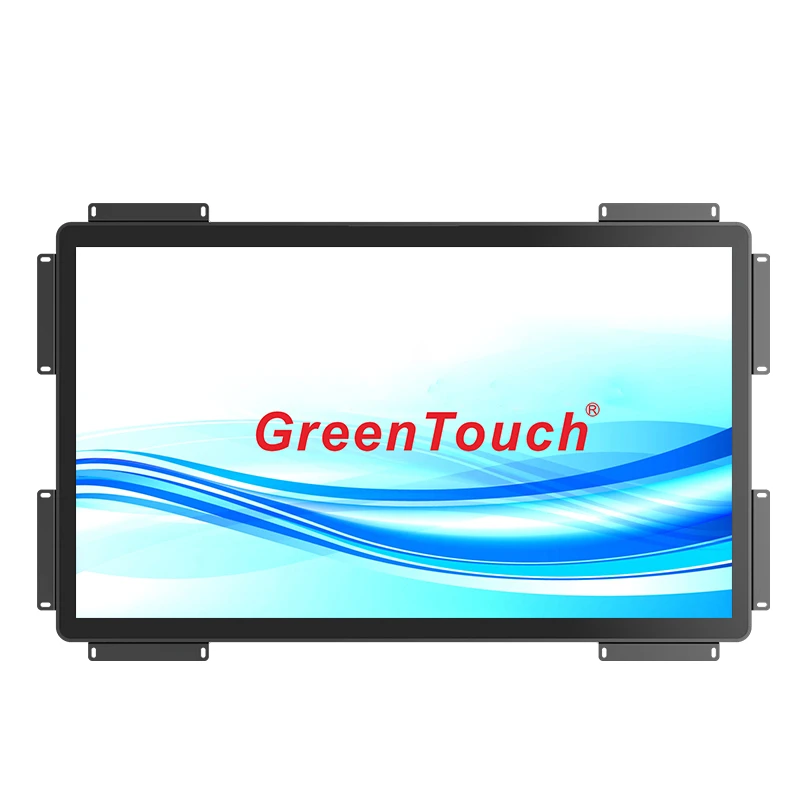
Delta E measures the perceived difference between two colors, typically a reference color and the color reproduced by a display. A smaller Delta E value generally indicates a closer match under the measurement method being used.
The result depends on the color difference formula, measurement conditions, display settings, and reference standard. Different Delta E formulas, such as ΔE*ab and ΔE00, do not necessarily produce directly comparable results. Therefore, a color accuracy claim is most useful when the measurement method and testing conditions are clearly stated.
For buyers evaluating commercial or industrial touch monitors, Delta E can help answer practical questions. Does the display reproduce specified brand colors consistently? Can users distinguish similar shades in technical interfaces? Does the monitor maintain acceptable color matching after calibration? These questions matter more than a numerical value considered without context.
Delta E also has limitations. It does not independently describe the full color gamut, contrast, brightness uniformity, viewing-angle performance, or touch responsiveness. A display with a low Delta E under one test condition may still require further evaluation for a particular installation.
Color gamut describes the range of colors a display can reproduce, while Delta E describes the difference between a reproduced color and its reference. These measurements address different aspects of display performance.
The GreenTouch 43-inch 4K touch monitor specifies 99% sRGB coverage and 95% DCI-P3 coverage. These figures indicate the stated coverage of two commonly used color spaces. sRGB is widely used for web content and general computer graphics, while DCI-P3 covers a broader range of colors in several areas, particularly saturated reds and greens.
A broad color gamut can be useful when an application requires a wider range of colors. However, gamut coverage alone does not establish color accuracy. A monitor can reproduce a broad range of colors but still display individual colors differently from their intended values.
For this reason, buyers should evaluate gamut coverage and Delta E together. If the application primarily uses sRGB content, testing should focus on accurate sRGB reproduction. If the workflow uses DCI-P3 content, the display mode, source content, and calibration process should be checked against that color space.
It is also important to confirm how the manufacturer defines the stated gamut percentages. Coverage and gamut volume are different measurements, and they should not be treated as interchangeable.
The 43 Inch 4K UHD Touch Screen Monitor uses a native resolution of 3840 × 2160 pixels. This provides four times as many pixels as a 1920 × 1080 Full HD display, supporting detailed graphics, dense interface layouts, and the presentation of multiple information panels on a single screen.
Resolution and color accuracy are related to the overall viewing experience, but they measure different characteristics. A higher pixel count can improve the definition of text, lines, icons, and image details. It does not automatically reduce Delta E or guarantee accurate color reproduction.
The monitor also specifies 1.07 billion display colors. This color count is associated with a broad range of representable color values and can help support smoother tonal transitions when the complete display pipeline is configured appropriately.
For applications involving gradients, maps, visualization dashboards, or detailed images, smooth transitions can make subtle differences easier to inspect. Nevertheless, the actual result depends on the panel, signal processing, input signal, graphics hardware, and source content. The stated color count should not be interpreted as a standalone measurement of color accuracy.
High dynamic range (HDR) is another feature listed for this monitor. HDR concerns the handling and presentation of brightness and tonal range, rather than Delta E alone. Buyers considering HDR workflows should confirm the supported HDR format, signal compatibility, brightness performance, and relevant operating settings before assuming that all HDR content will be reproduced as intended.
A useful color evaluation begins with a defined reference and a repeatable test procedure. Without these, measurements from different monitors or suppliers may not be directly comparable.
The following steps provide a practical starting point.
First, identify the intended color space. For standard computer interfaces and many web-based applications, sRGB may be the appropriate reference. For other workflows, the required color space should be confirmed before testing.
Second, allow the monitor to warm up according to the manufacturer's guidance. Display characteristics can change during initial operation, so measurements should be taken under stable conditions.
Third, select the intended display mode and disable unnecessary image enhancements where appropriate. Settings that alter saturation, contrast, white balance, or color temperature can affect the result. If the application requires HDR, testing should follow the intended HDR configuration rather than relying only on SDR measurements.
Fourth, use a calibrated colorimeter or spectroradiometer with suitable software. The measurement system should generate known color patches, measure the output, and compare the results with the specified reference values.
Finally, record the test conditions and results. These should include the color space, Delta E formula, average and maximum Delta E where relevant, display mode, brightness setting, measurement instrument, and calibration status.
A single average value can hide individual colors that deviate significantly from their references. For critical applications, reviewing the distribution of errors and the maximum deviation can provide a more complete picture than looking at the average alone.
Calibration adjusts a display's output to bring it closer to a defined reference. Depending on the hardware and software, this may involve changing the white point, brightness, tone response, and color-channel behavior. A color profile can then help compatible applications interpret and reproduce colors more consistently.
Calibration should match the intended operating environment. A monitor used in a controlled room may be evaluated under different lighting and brightness conditions from one installed in a brightly lit production area. Ambient light can also influence how users perceive colors, even when instrument measurements remain unchanged.
For installations with multiple displays, the same reference settings and measurement procedures should be used wherever practical. This makes it easier to identify differences between units and maintain consistent visual output across a system.
Touch interaction introduces another practical consideration. Calibration procedures should preserve the monitor's required touch functionality and should not be confused with touch-coordinate calibration. Color calibration concerns image output, while touch calibration concerns the relationship between physical contact and the reported touch position.
For professional deployments, it is advisable to document the initial color measurements and establish a schedule for rechecking performance when the application requires consistent reproduction over time.
Color measurements are only one part of the evaluation process. The optical construction and surface finish can also affect the way users see displayed content.
This GreenTouch monitor uses optical bonding between the touch panel and LCD panel. Optical bonding reduces the air gap between these components and can help limit internal reflections under suitable conditions. Its practical benefits depend on the materials, bonding process, ambient lighting, and final installation.
The monitor also offers optional surface treatments, including AG (anti-glare), AR (anti-reflection), AF (anti-fingerprint), and antibacterial treatment. Each option addresses a different requirement. Anti-glare treatment modifies reflected light at the surface, anti-reflection treatment is intended to reduce reflections, and anti-fingerprint treatment helps manage visible residue from contact. The actual optical effect varies by coating design.
These treatments should be evaluated in the context of the intended content and environment. For example, a display used for color-sensitive work may require careful assessment of how the chosen surface finish affects perceived contrast and reflections. A public-facing interactive display may place greater emphasis on cleaning frequency, touch marks, and visibility under ambient light.
The correct selection is not necessarily the same for every installation. Where color matching is important, the final configuration should be tested rather than assuming that all surface treatments produce identical visual results.
A 43-inch display provides a substantial working area for interactive applications, but the evaluation criteria should reflect what users actually need to see and do.
In design review systems, color accuracy may affect the interpretation of diagrams, product finishes, and visual references. In industrial visualization, users may need to distinguish status colors or inspect detailed process graphics. In commercial interactive systems, consistent colors can help maintain a coherent interface across content pages.
For each application, buyers should define acceptance criteria before approving a monitor. These may include the required color space, target Delta E, brightness range, viewing conditions, resolution, touch performance, and interface compatibility. If the display is part of a larger system, the source device and software should also be included in the validation process.
The GreenTouch 43-inch monitor combines 3840 × 2160 UHD resolution, 99% sRGB and 95% DCI-P3 specifications, 1.07 billion display colors, and projected capacitive 10-point touch. It also provides two HDMI inputs, one DisplayPort, USB connections, and a Type-B USB interface for touch-related connectivity. These features support a range of display and interaction requirements, although application-specific performance should still be confirmed through testing.
Manufacturing consistency, inspection procedures, and technical support can all influence the outcome of a display integration project. Buyers should ask for clear specifications and supporting evidence for the particular model rather than relying only on general product descriptions.
ShenZhen GreenTouch Technology Co., Ltd. manufactures touch screens, touch monitors, infrared touch frames, and other interactive display products. The company reports operating a Class 1,000 dust-free lamination workshop and using bonding processes that include G+G, G+FF, and TP+LCM full lamination. Its reported production facilities include a 5,000-square-meter standard workshop and dedicated research and development resources.
For projects with specific color requirements, buyers should request any available model-specific color measurement reports and clarify whether the reported Delta E values represent factory measurements, post-calibration results, or typical performance. It is also useful to confirm the measurement formula, tested color space, sample conditions, and whether the production configuration matches the evaluated unit.
GreenTouch reports ISO 9001 quality management system and ISO 14001 environmental management system certifications, along with product certification coverage that includes CE, FCC, and RoHS for applicable products. These credentials provide background on its management systems and product compliance, but they should not be treated as substitutes for model-specific color performance data.
Before placing an order for a color-sensitive project, buyers can use a simple checklist to align technical and procurement teams.
Confirm the required color space, such as sRGB or DCI-P3.
Request the Delta E measurement method and available test results.
Verify the native resolution and intended input signal configuration.
Check the specified display color capability and HDR requirements.
Evaluate optical bonding and optional surface treatments under representative lighting.
Confirm touch functionality, USB connectivity, and compatibility with the host system.
Define acceptance limits and inspection procedures for sample approval and production batches.
This process helps turn general display specifications into measurable project requirements. It also makes supplier comparisons more meaningful because each candidate can be evaluated against the same criteria.
Delta E is a useful measurement for evaluating color reproduction, but it should not be considered in isolation. Color gamut, display color capability, calibration, optical construction, ambient lighting, and signal configuration all contribute to the final viewing experience.
The 43 Inch 4K UHD Touch Screen Monitor from GreenTouch combines 4K resolution with specified sRGB and DCI-P3 coverage, 1.07 billion display colors, optical bonding, and ten-point capacitive touch. For projects that depend on consistent visual output, the next step is to verify the actual color performance under defined test conditions and ensure that the selected configuration matches the application.
By establishing clear acceptance criteria and reviewing model-specific test data, equipment manufacturers and system integrators can make better-informed decisions about display quality and integration. Working with ShenZhen GreenTouch Technology Co., Ltd. to clarify configuration details and available validation documents can help ensure that the final monitor meets the project's practical requirements.