RU
 ZH
 IT
 ES
 TR
 JA
 PT
 KO
 FR
 DE
 AR
 ID
Wall Mount PCAP Touch Monitor vs Standard Touch Monitor: What's the Difference?
Learn More



Infrared touch screens are widely used in industrial control panels, self-service terminals, transportation equipment, and public information systems. In these environments, the display may be exposed to sunlight, bright overhead lighting, or changing illumination throughout the day. Although infrared touch technology does not rely on pressure-sensitive layers or a capacitive sensing surface, its performance still depends on the conditions surrounding the infrared sensing area.
For equipment manufacturers, understanding how ambient light affects touch performance is important before integrating a screen into a finished product. The Infrared Touch Screen 15 to 23.6 Inches (TK Series) from GreenTouch is designed with light resistance up to 80,000 Lux, making it a candidate for projects where strong ambient illumination is a concern. However, choosing a screen with a suitable light-resistance specification is only one part of the process. Installation, bezel alignment, controller configuration, and real-world testing also matter.
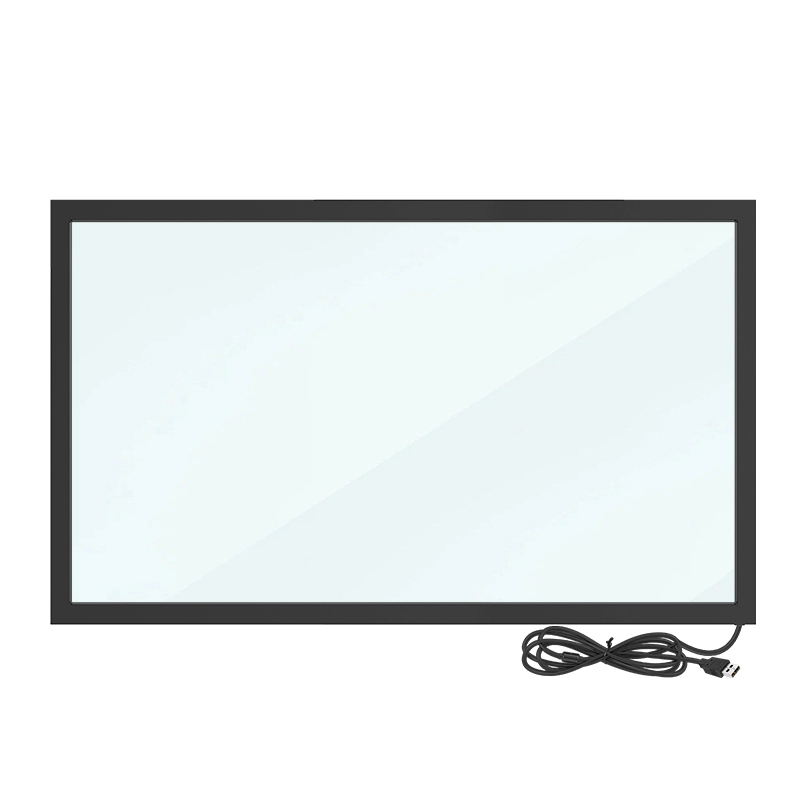
An infrared touch screen typically uses infrared emitters and receivers arranged around the edges of the display. Together, they create an invisible grid of infrared beams across the touch area. When a finger interrupts the beams, the controller identifies the interruption and calculates the touch position.
Strong external light can introduce unwanted infrared energy into the sensing system. Depending on the design of the touch frame, the strength and direction of the light, and the surrounding installation, this interference may affect detection stability. Potential symptoms include inconsistent touch response, missed touches, or unreliable operation in certain areas of the screen.
These problems do not occur in every brightly lit environment. Modern infrared touch systems are designed to manage external light, but performance should still be checked under the conditions in which the finished equipment will operate. A display installed inside an office may face very different lighting conditions from one positioned beside a large window or used in a transportation terminal.
Lux measures illuminance, or the amount of visible light reaching a surface. It provides a useful way to describe the brightness of an environment, but it does not fully describe the infrared spectrum or the direction of incoming light.
The TK Series specifies light resistance up to 80,000 Lux. This figure is useful when evaluating the product for bright indoor areas and certain high-illumination installations. It gives engineers a defined specification to check against their application requirements instead of relying only on general descriptions such as bright-environment compatible.
However, the rating should not be interpreted as a guarantee of identical performance under every lighting condition. Two locations with similar lux readings may have different light sources, angles of incidence, reflections, and infrared characteristics. Direct sunlight shining toward the sensing frame can create a different challenge from diffuse daylight or evenly distributed ceiling lights.
Before selecting a touch screen for a demanding environment, confirm the manufacturer's test conditions and determine whether the specified light resistance matches the actual installation. If the equipment will operate outdoors or receive direct sunlight for extended periods, application-specific validation is particularly important.
Even a touch frame with strong light resistance can perform poorly if it is installed incorrectly. Mechanical alignment is one of the first details to check during integration.
The infrared frame must align with the display's intended touch area. If the frame is offset, obstructed, or positioned incorrectly relative to the viewing window, the effective sensing area may not correspond to the displayed content. This can make touches appear inaccurate even when ambient light is not the underlying problem.
The TK Series uses an aluminum alloy frame with an approximately 8 mm shell thickness. Its slim structure can help equipment designers plan compact front-panel assemblies, but the actual mounting space and opening dimensions should still be confirmed before production.
A practical installation process includes the following steps:
Connect the touch screen to the host system through USB and confirm that the device is recognized.
Check the frame position against the display's viewing window before fixing it in place.
Apply the specified double-sided tape to the rear of the frame and align it carefully with the mounting surface.
Inspect the sensing area for obstructions, uneven gaps, or other installation issues.
Test touch response across the entire active area after the frame has been secured.
These checks help separate installation-related problems from potential environmental interference. For equipment built in batches, documenting the alignment and mounting process can also reduce variation between units.
A specification sheet is a starting point, not a substitute for application testing. Integrators should test the touch screen in a setup that reflects the actual environment as closely as possible.
Begin with a baseline test under ordinary indoor lighting. Touch the center, corners, edges, and other representative points across the screen. For a 10-point touch system, test simultaneous inputs and common gestures where the operating software supports them.
Next, increase the ambient illumination or reproduce the intended installation's lighting conditions. A lux meter can help record illuminance at the display surface. Where possible, test different light angles and positions, particularly if the display will be installed near windows, bright lamps, or reflective surfaces.
Record any missed touches, unexpected input events, or changes in response. Repeat the tests rather than relying on a single interaction. If a problem appears only under a specific lighting condition, compare results after adjusting the light angle or adding suitable shading to identify whether external illumination contributes to the issue.
For the TK Series infrared touch screen, the stated 80,000 Lux light resistance can serve as a reference during this evaluation. The final acceptance criteria should be based on the application's actual requirements and the manufacturer's documented test conditions.
Ambient light is only one factor in the overall user experience. Engineers should also check touch resolution, multi-touch behavior, and response consistency.
The TK Series lists a touch resolution of 32768 × 32768 and supports up to 10 touch points. These specifications describe the controller's reported coordinate grid and multi-touch capability; they should not be confused with the pixel resolution of the LCD itself. Actual positioning performance also depends on the touch controller, display alignment, host system, and application software.
For interactive terminals, test whether the screen registers touches consistently across the active area and whether simultaneous inputs behave as expected. A 10-point specification is useful for applications involving multi-finger gestures or multiple simultaneous contact points, but the host operating system and software must also support the required interactions.
The frame uses LED infrared receiving tubes with a stated service life of approximately 60,000 hours. This component-life figure can help inform maintenance planning, but it should not be treated as a guaranteed service life for the entire assembled device.
A reliable installation also depends on communication between the touch controller and the host. The TK Series uses a USB 2.0 full-speed interface with a stated transmission rate of up to 480 Mbps and is designed for plug-and-play operation without a separate driver installation under supported configurations.
The product lists compatibility with Windows, Android, and Linux. During integration, engineers should still verify recognition and touch behavior on the specific host hardware, operating system version, and software environment. Confirm that the device is detected, test the full touch area, and check whether any application-level configuration is required.
If the touch screen works correctly in one environment but not another, investigate the USB connection, system permissions, controller recognition, and application input handling before concluding that ambient light is responsible. A structured troubleshooting process prevents unnecessary component replacement.
The appropriate screen size and mechanical format depend on the equipment design. The TK Series offers sizes from 15 to 23.6 inches, including options such as 15-inch, 17-inch, 19-inch, 21.5-inch, 22-inch, and 23.6-inch models. Available aspect ratios include 4:3, 5:4, 16:9, and 16:10, depending on the selected size.
These options support integration into industrial control equipment, commercial self-service terminals, healthcare devices, transportation systems, and public service displays. Before placing an order, confirm the exact model dimensions, active area, aspect ratio, mounting method, and interface requirements.
ShenZhen GreenTouch Technology Co.,Ltd. manufactures touch products including infrared touch frames, capacitive and resistive touch screens, touch monitors, and integrated touch PCs. Its production capabilities include automated manufacturing, a Class 1000 dust-free lamination workshop, and several touch-panel bonding processes. The company also reports ISO 9001 and ISO 14001 management system certifications, alongside product certifications for applicable product ranges.
For OEM projects, discussing the intended lighting conditions, host platform, display dimensions, and mounting structure with the supplier can help establish a more reliable specification before production begins.
Ambient light should be treated as one part of a broader touch-system evaluation. Check the light-resistance specification, verify the frame alignment, test the entire touch area, and confirm USB and operating system behavior under realistic conditions. Where direct sunlight or unusually strong illumination is expected, ask for clarification of the manufacturer's test method and conduct application-specific validation.
The Infrared Touch Screen 15 to 23.6 Inches (TK Series) combines a 10-point infrared touch interface, an aluminum alloy frame, 3 mm tempered glass coverage, and a stated light resistance of up to 80,000 Lux. Matching these specifications to the installation environment—and validating the complete assembly before deployment—helps equipment manufacturers reduce integration problems and deliver more consistent touch performance.